Ecommerce background removal helps an online store present products consistently across its catalogue. It separates the item from its surroundings so that an agreed white, coloured or transparent background can be prepared. For a large batch, a clear production brief matters as much as the selection method.
Define the ecommerce background removal standard
Start with the destination of the images. Your own store, an advertising layout and a marketplace listing may require different crops or backgrounds. Check the destination’s current image requirements and supply them with the brief rather than assuming one export will suit every use.
Specify canvas dimensions, margins, product scale and alignment. Decide whether all images should show the product at a similar apparent size or preserve a different composition for each category. A reference sheet helps editors apply the same decisions across the batch.
Choose white or transparent output
A white background provides a consistent canvas for a catalogue. Transparent output allows a designer to place the product into other layouts. JPEG does not preserve transparency; use an agreed transparency-capable format, such as PNG, when that is needed. Keep an editable working file if future changes are part of the workflow.
Background removal does not automatically include dust removal, colour matching or reconstruction of hidden parts. List those requirements separately. The editor should preserve the product’s original details unless a specific correction has been approved.
Match the method to the edge
Manual paths work well for many solid-edged products. Hair, fur, translucent materials and soft fabric boundaries may need masking or a combination of techniques. Complex internal openings need the same attention as the outside contour. Automated selections should be checked rather than treated as finished files.
Review sample images on light and dark backgrounds to reveal fringes and missing details. Check handles, rails, straps and other narrow spaces carefully. See our background removal guide for the difference between selection, background preparation and retouching.
Agree how shadows are handled
Removing the surrounding pixels can also remove the shadow that grounds the object. Decide whether the original shadow should be preserved, cleaned or replaced. The light direction and softness should be consistent with the product and its neighbouring catalogue images.
A drop shadow, a natural-looking constructed shadow and a reflection are different treatments. Do not request all three interchangeably. Supply an approved example and confirm whether the shadow should be delivered on a separate editable layer.
Organise a batch before transfer
- Group files by product category and editing complexity.
- Include representative originals and an approved reference.
- Keep unique filenames and provide a delivery checklist.
- State the total quantity, deadline and output formats.
- Mark any product features that must remain untouched.
Approve a sample before the full batch begins. If instructions change during production, record which files are affected. This avoids repeated revisions caused by different interpretations of the same brief.
Review the catalogue before uploading
Inspect edges at detail size and the full set at normal listing size. Look for missing parts, halos, inconsistent scale, accidental transparency and uneven backgrounds. Open the exported files rather than checking only the layered source documents.
Consistent presentation can make products easier to compare, but image editing alone does not guarantee sales. For a tailored scope, review our background removal service, view real project examples and request a batch quote.
Ecommerce background removal questions
Does a transparent file meet every listing requirement?
No. Transparency is one output option. The selling platform or page design may call for a particular background, crop and canvas size. Supply those requirements with the brief and check the actual exported files before upload.
How should a mixed batch be priced?
Group simple outlines, intricate openings and soft-edged products separately. Ask for a quote based on representative examples from each group so that complexity and any masking work are accounted for before production.
See a real product-image example
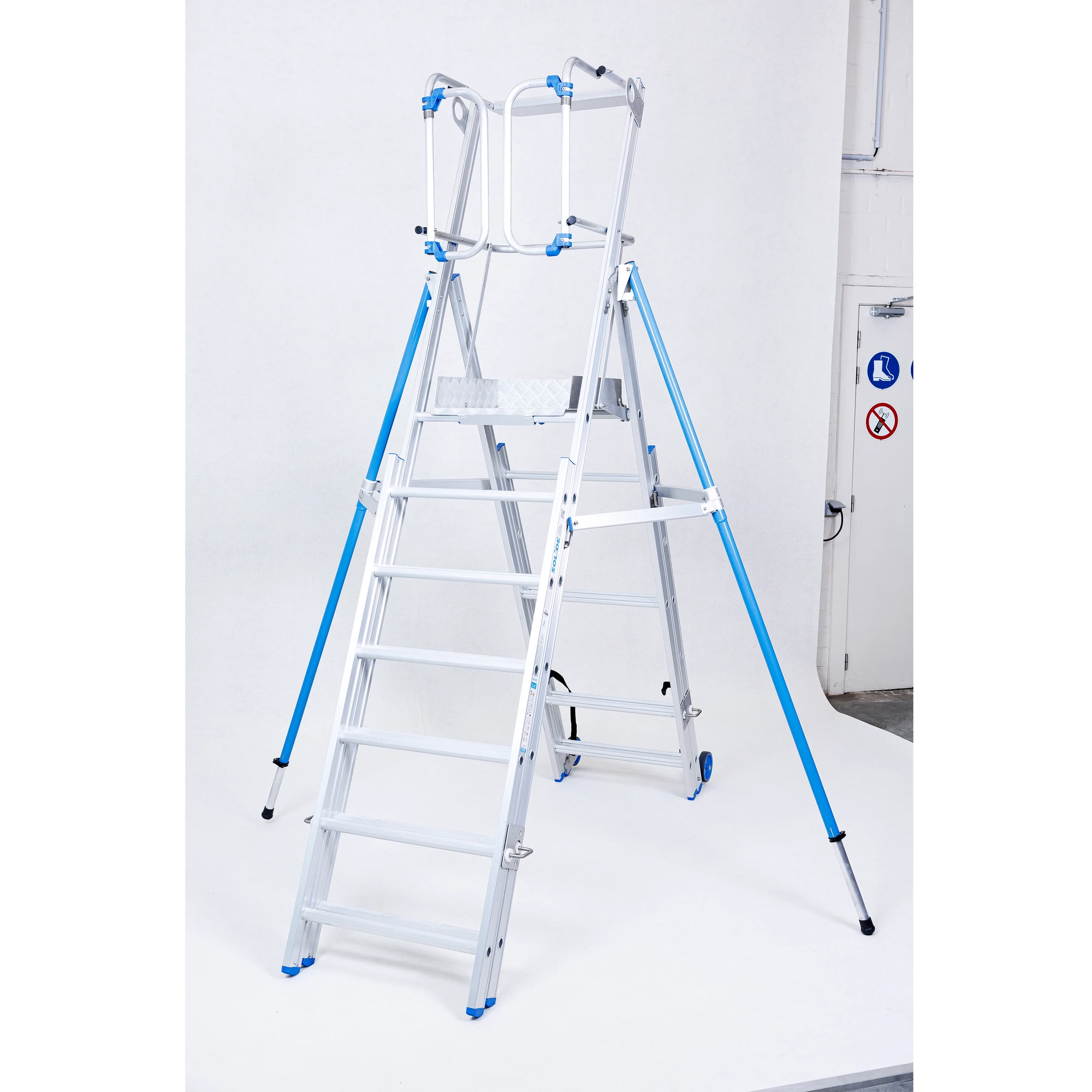
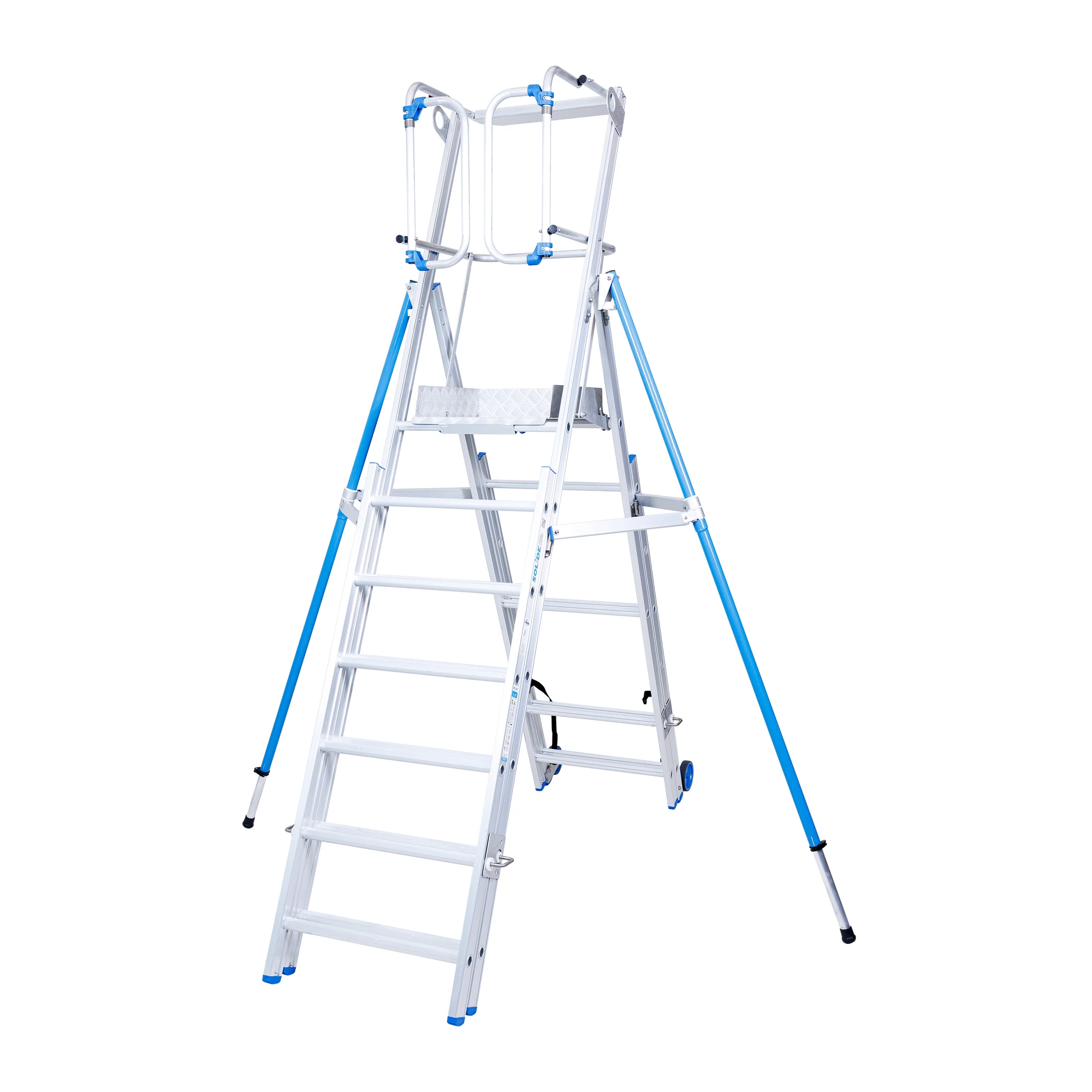
This approved project shows a platform ladder before and after background removal. The editing isolates the product and retains its structure, including narrow spaces between the rails and steps. See the full ladder cut-out case study for the project context.