

Real Project Case Studies. Briefs, Editing & Results.
Explore product photo editing and detailed logo redraws. Each case study explains the brief, editing work and delivery context.
Approximate combined scope: 1,320 ecommerce, 1,500+ ladder, 679 automotive, approximately 25,104 travel-goods and 55,421 bag images.
Five photo-editing case studies and two vector redraws.
Fifteen product-image pairs and two supplied logo redraw pairs.
PSD or layered TIFF for photo projects; editable AI and agreed vector formats for redraws.
CASE STUDY 01 • ECOMMERCE PRODUCT IMAGE EDITING
Ecommerce Product Photo Editing: Vintage Fan Examples
Manual clipping, background cleanup and agreed exports
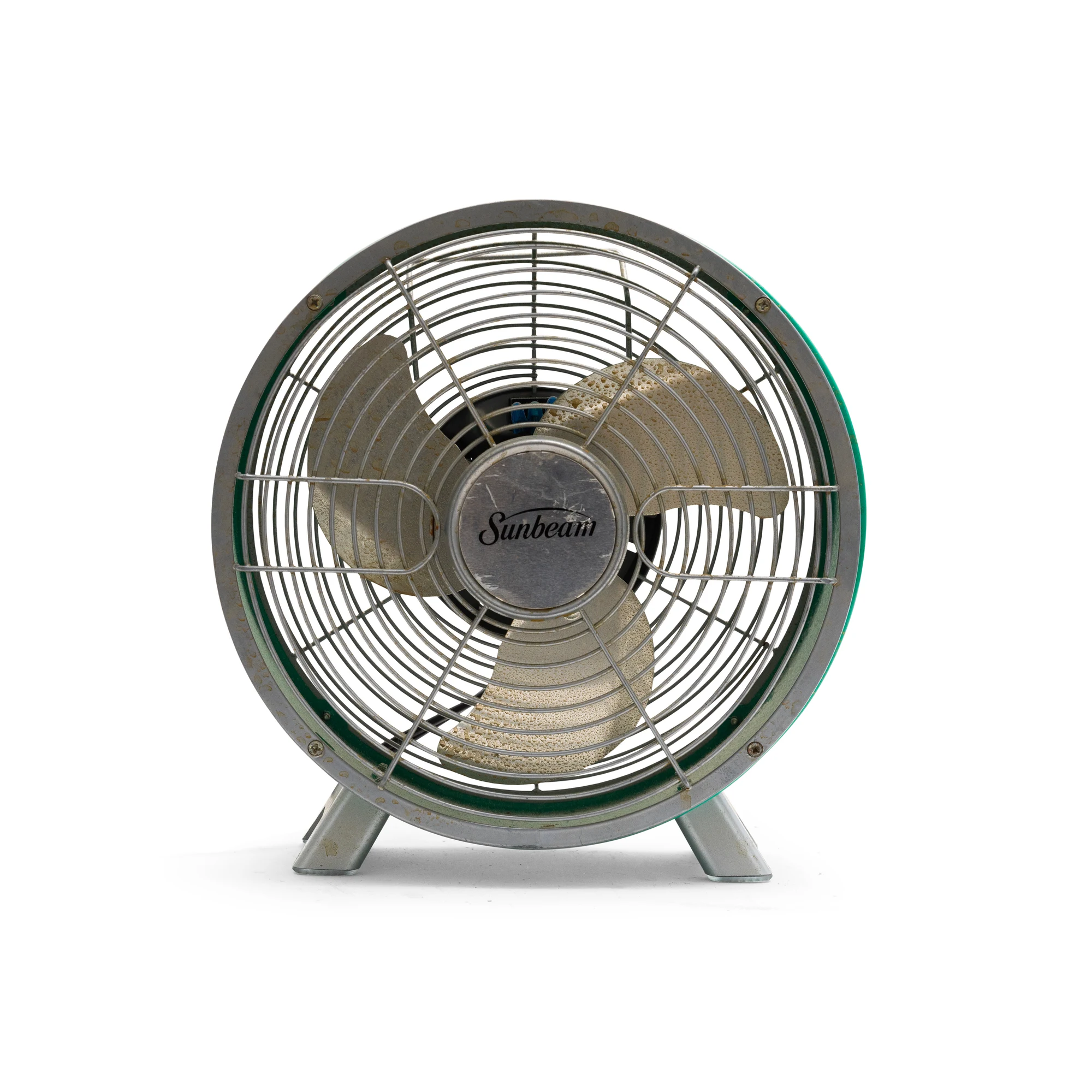
 Before: Raw Shot
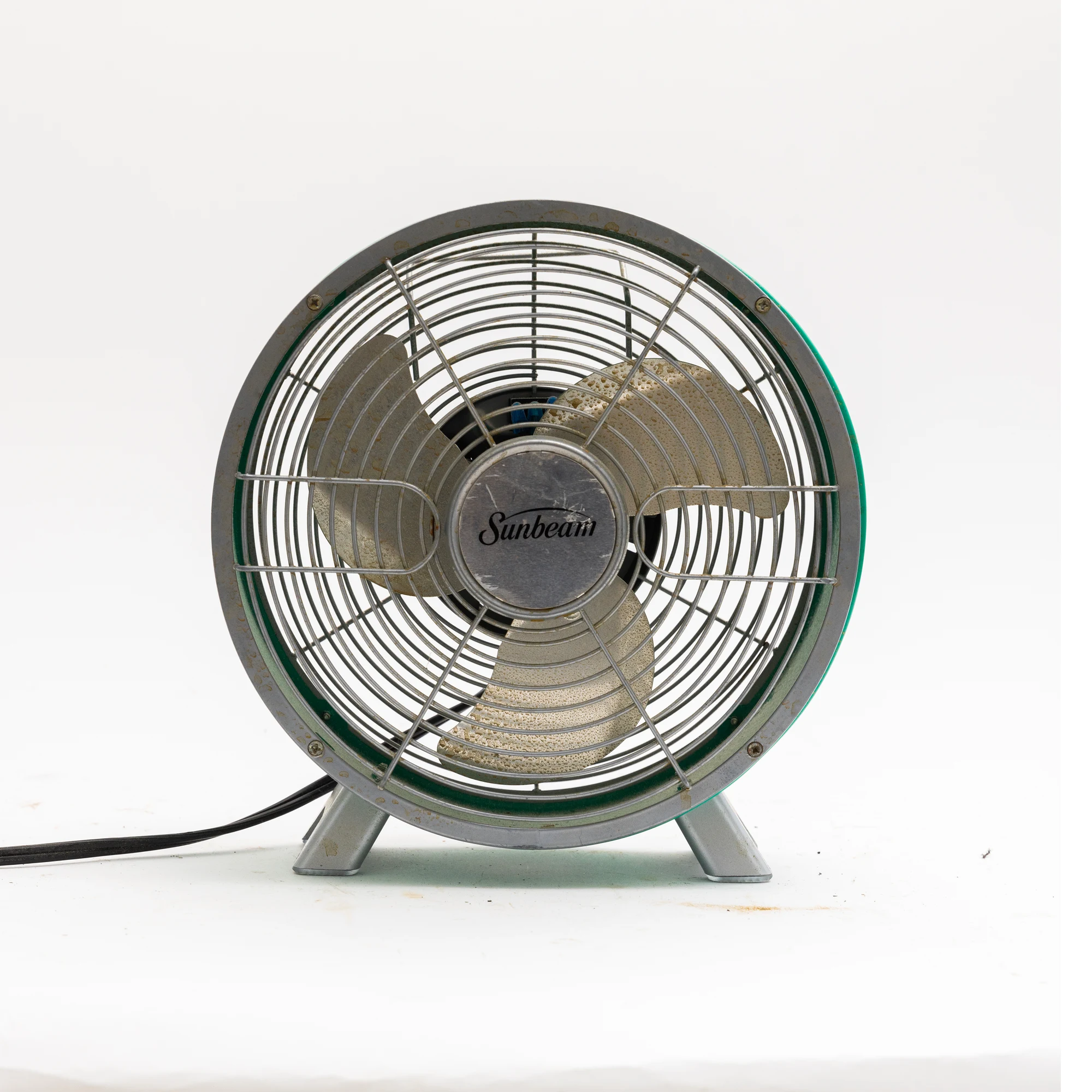
After: Clean Cutout
The brief and editing challenge
The two ecommerce projects covered 1,320 product images. The brief requested white backgrounds, natural shadows, dust and mark removal, more consistent exposure, and agreed export sizes. The two supplied fan views show the detail challenge: separate the grille wires and internal openings, remove visible power cables, and retain the product’s original surface condition.
What the examples show
The supplied views show cleaner white backgrounds and cable removal while preserving the fan’s shape and visible condition. The full case study also covers the wider exposure review and revision work.
CASE STUDY 02 • INDUSTRIAL EQUIPMENT CATALOGUE
Ladder Product Cut-Outs: Industrial Access Equipment
Manual background removal for ladders and access equipment
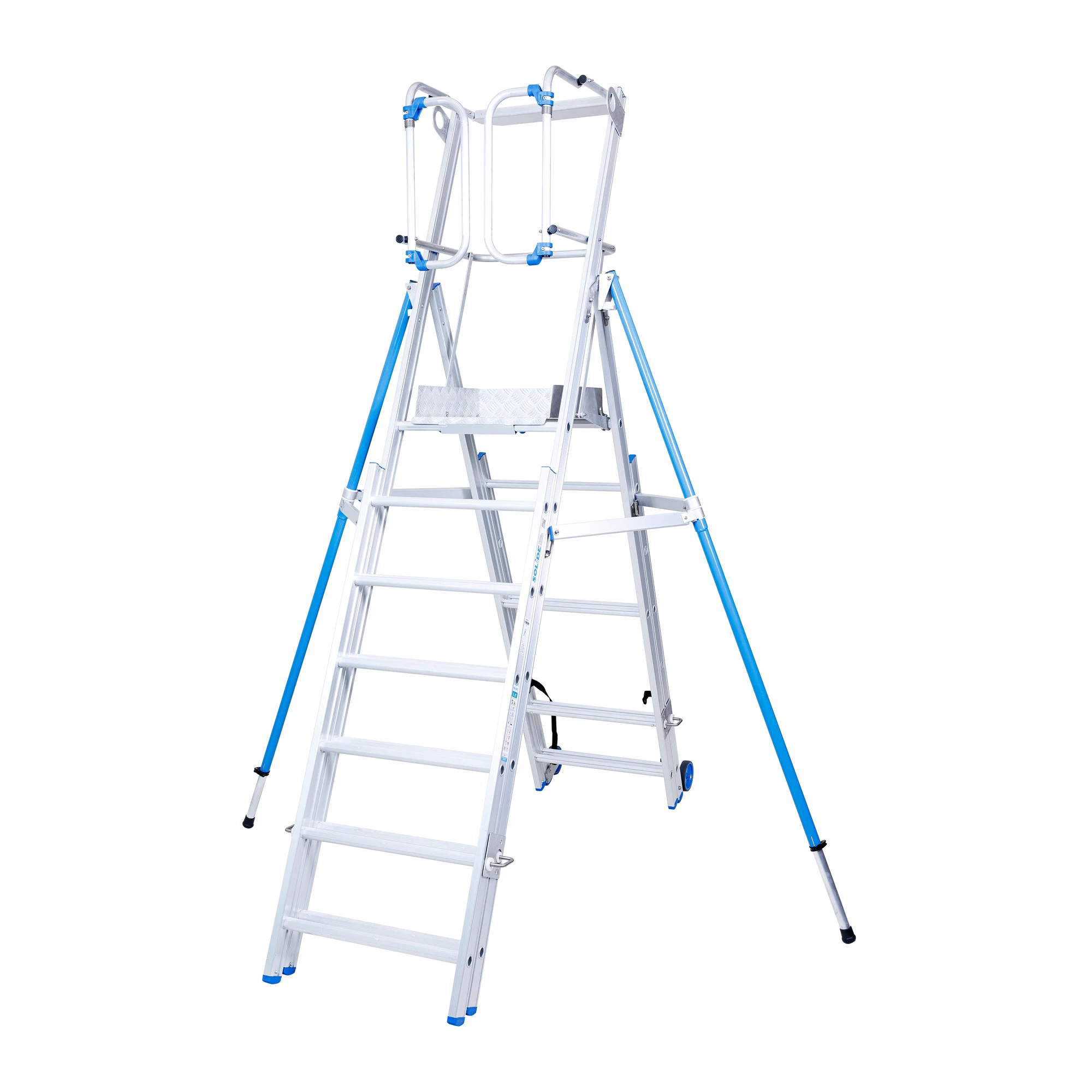
 Before: Raw Shot
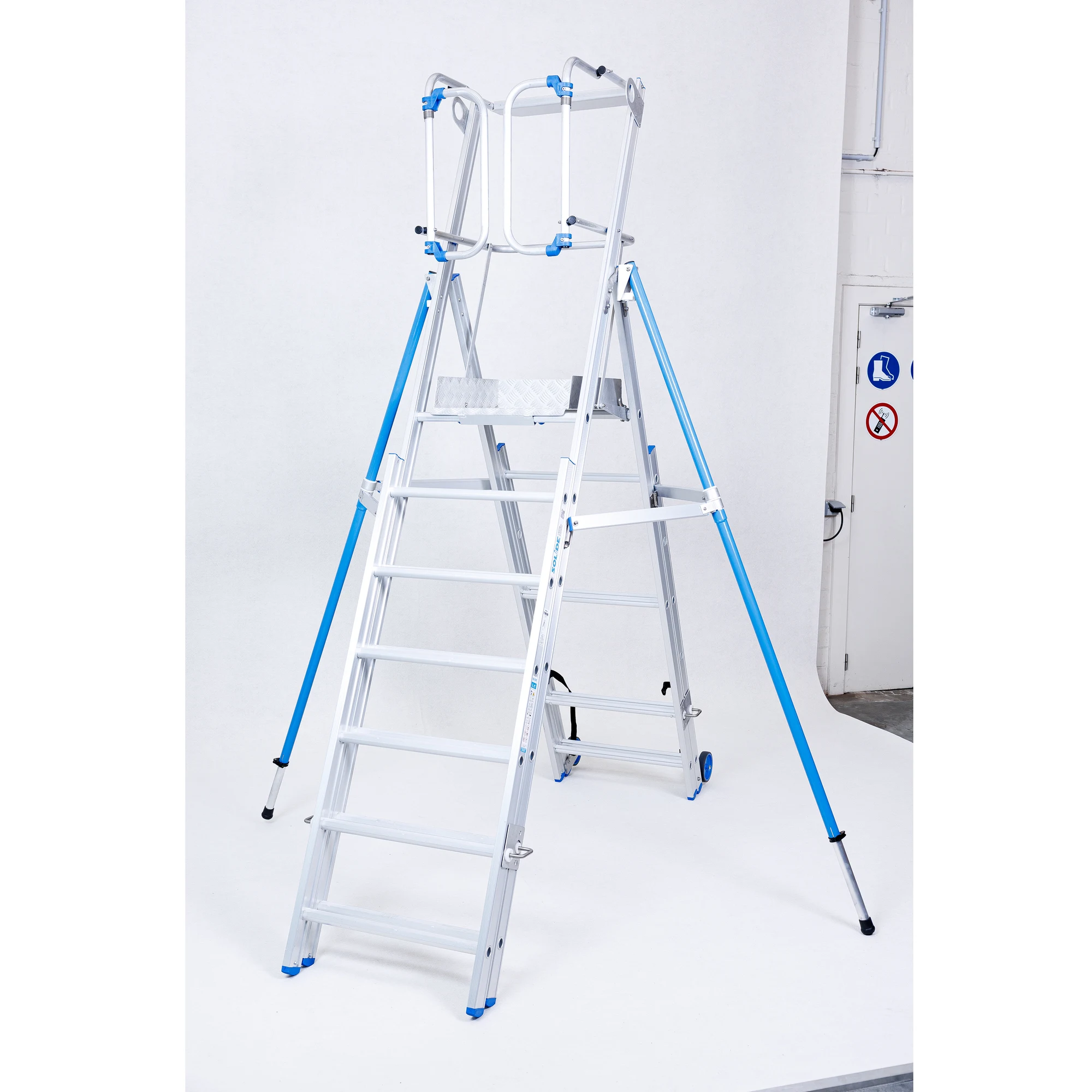
After: Clean Isolation
The Brief & Production Challenge
Across 14 completed projects, an industrial safety equipment manufacturer required 1,500+ product catalog images cleanly extracted from warehouse photography. Perforated safety steps, tubular aluminum guardrails, diagonal braces, and locking caster wheels required precise hollow cutouts without color bleeding from the warehouse floor.
CASE STUDY 03 • MANUAL VECTOR TRACING
Sports Mascot Logo: Manual Vector Redraw
Adobe Illustrator · Manual redraw without Image Trace

 Before: Raster referenceAfter: Manual redraw
← Drag the slider to compare the raster reference and manual redraw. Source resolutions differ.
A cleaner mascot logo, recreated by hand
The client requested a manual Illustrator redraw without Image Trace. The complex wolf mascot, crossed bats, shield and lettering were recreated and refined through a screenshot-based revision round. The client approved the updated artwork on 17 March.
SCOPE
1 complex logo
Mascot, bats, shield and text
METHOD
Manual vector tracing
No Image Trace
FINAL REQUIREMENTS
Editable AI + PNG
Transparent high-resolution PNG requested
RECORDED TIMELINE
About 4 days
13–17 March, including review
CASE STUDY 04 • MANUAL VECTOR TRACING
AI Logo Mockup to Clean Vector Artwork
Adobe Illustrator · Illustration, border and lettering

 Before: Raster referenceAfter: Manual redraw
← Drag the slider to compare the raster reference and manual redraw. Source resolutions differ.
Clean linework, a refined border and clearer lettering
The client needed a detailed AI logo mockup redrawn as editable vector artwork. We manually rebuilt the illustration in Adobe Illustrator and reviewed the repeating border, connected contours, bottom wording, tail detail and colour contrast.
SCOPE
1 logo redraw
Illustration, border and lettering
REVIEW WORK
Detail refinements
Tail, petal dots, shading and text
FIRST PREVIEW
About 4 days
Revised preview on 4 March
FORMAT CONTEXT
JPG previews shown
AI / EPS / PDF / SVG in the offer
CASE STUDY 05 • AUTOMOTIVE PRODUCT IMAGE EDITING
Automotive Parts Photo Editing: 11 Projects
February–October collaboration · Adobe Photoshop
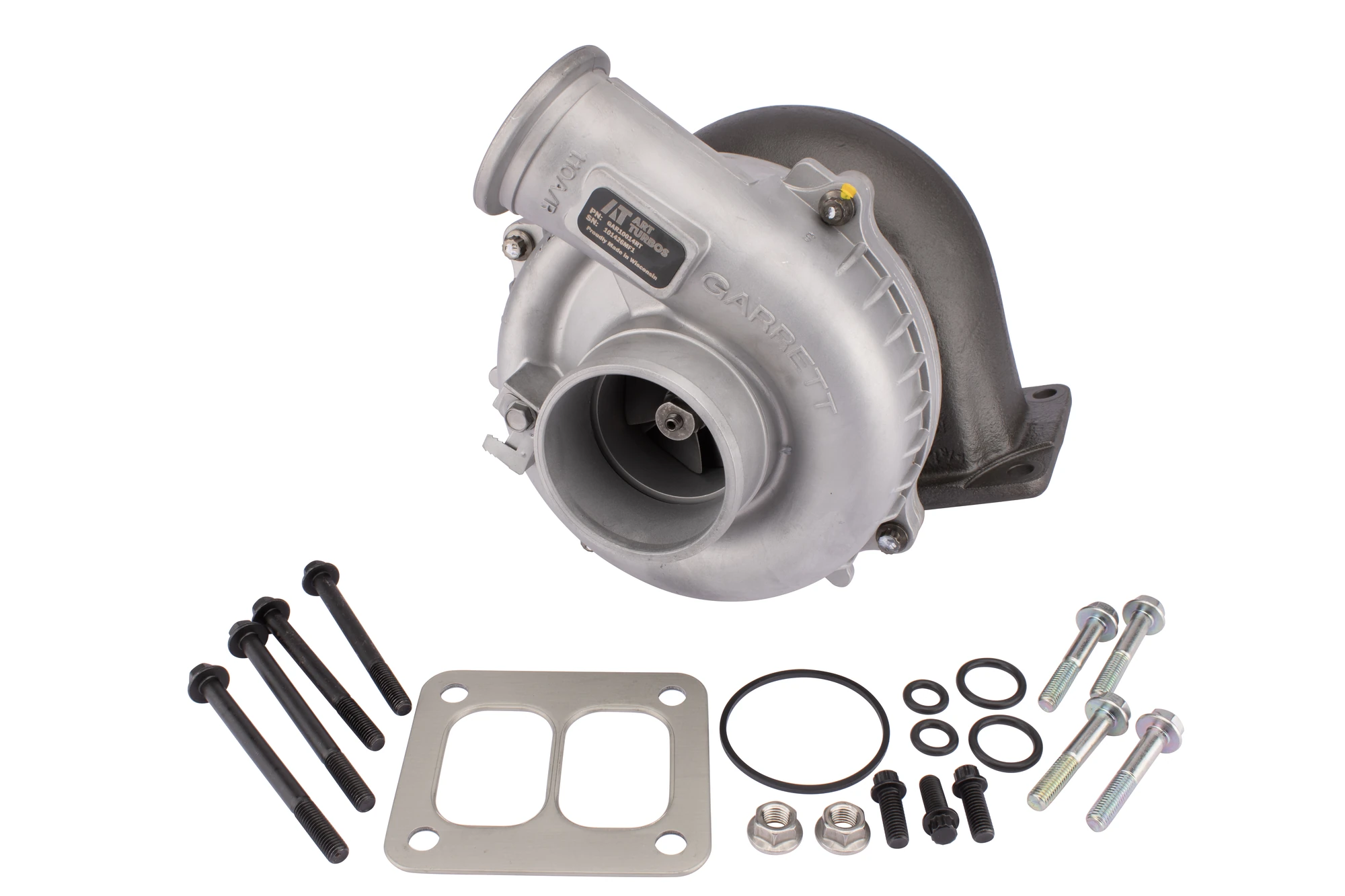
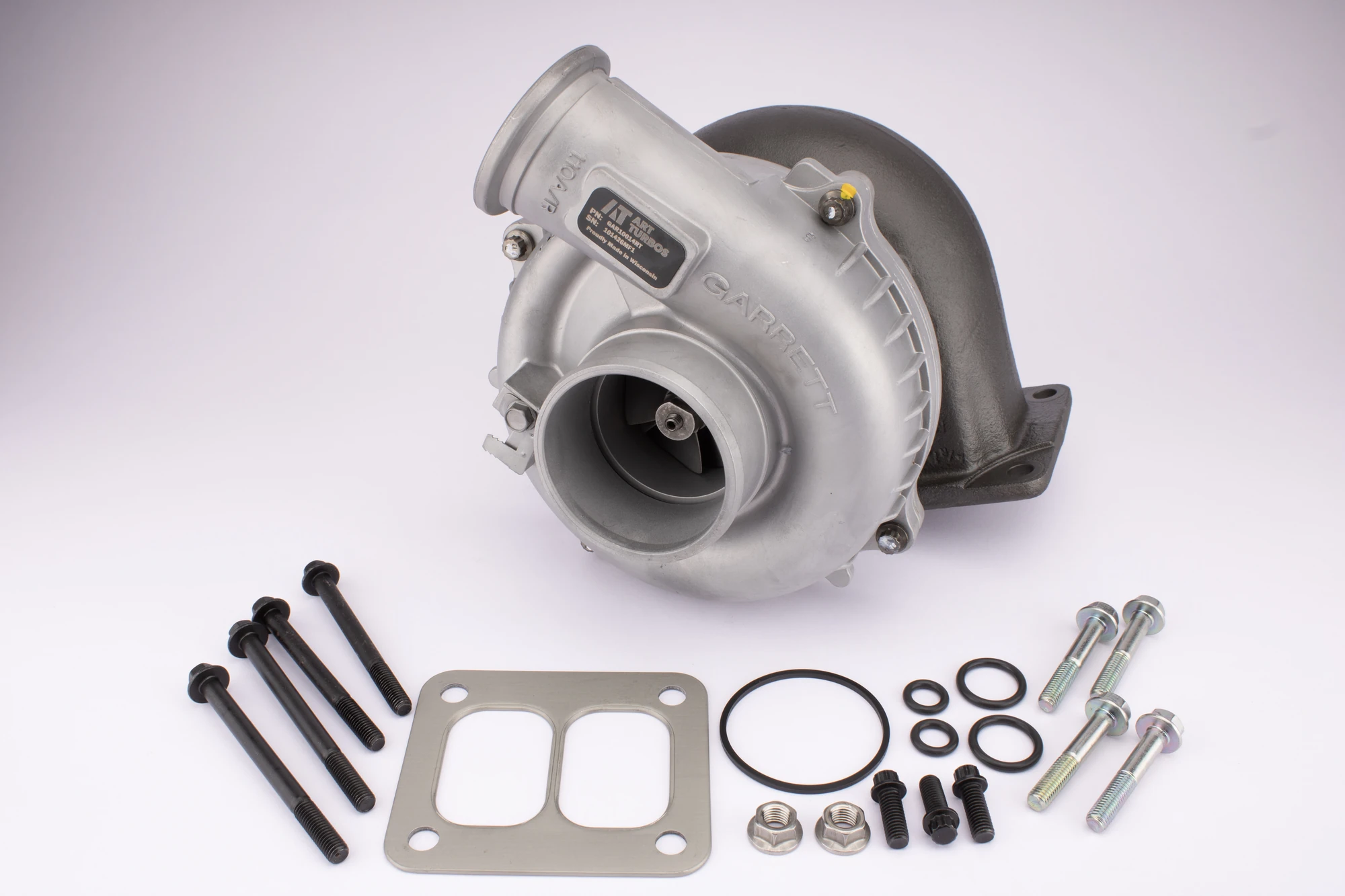 Before: Studio photoAfter: Clean cutout
← Drag to compare the studio photograph and clean product cutout. See all three examples in the full case study.
Detailed car parts, clean cutouts and consistent catalogue images
An automotive parts seller needed reliable image preparation across repeated batches. We used manual Pen Tool paths to separate housings, wiring, fasteners and internal openings, then prepared consistent crops and the requested web and editable files.
SCOPE
679 images · 11 projects
Recurring automotive image batches
METHOD
Manual clipping paths
Pen Tool and internal cutouts
EXPORTS
PSD / TIFF + WebP / JPEG
Prepared to each batch specification
WORKFLOW
Sample approval & review
Consistent crops and product detail
CASE STUDY 06 • TRAVEL GOODS ECOMMERCE IMAGE EDITING
Travel Goods Photo Editing: 55 Projects over 5 Years
5-year client relationship · Bags, wallets and luggage
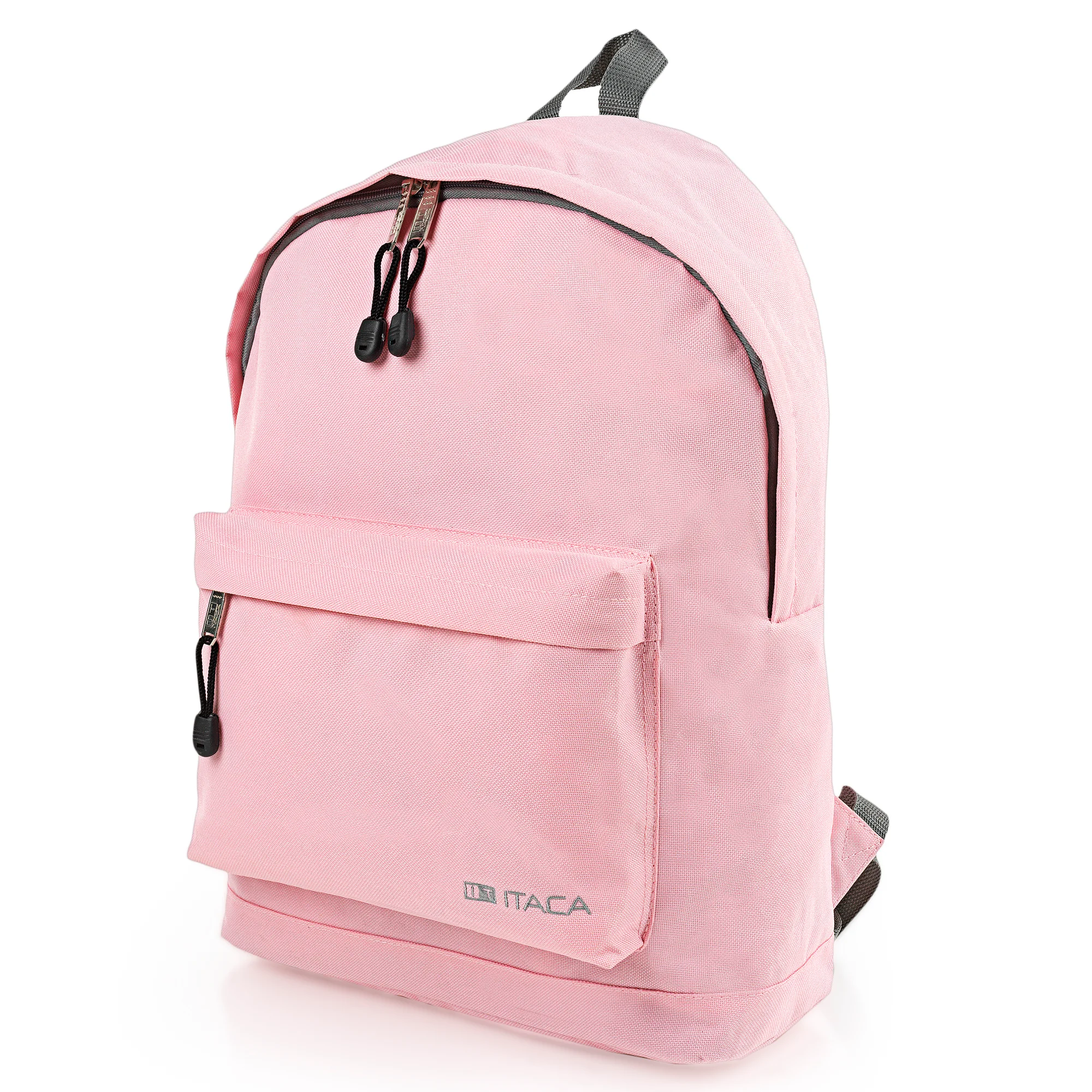
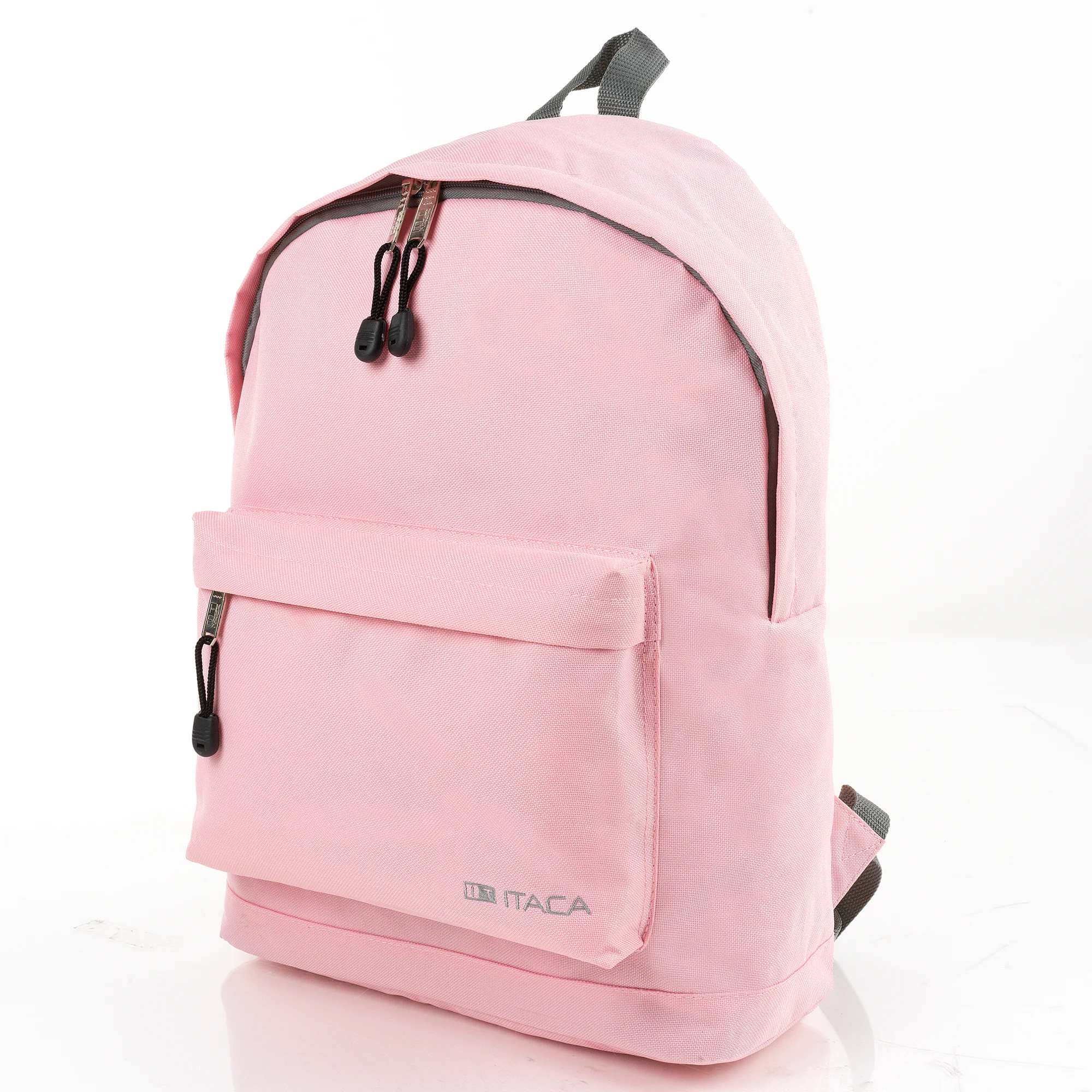 Before: Original photoAfter: Clean product image
← Drag to compare the original and edited backpack. The full case study includes four product comparisons.
Consistent catalogue images across five years of repeat work
A travel-goods ecommerce brand needed manual clipping, dust and unwanted-element cleanup, centred 2000 × 2000 px images and preserved natural shadows. Approximately 25,104 images were handled across 55 projects, with layered TIFF and JPG exports.
SCOPE
≈25,104 images
55 projects over 5 years
EDITING
Manual clipping & cleanup
Dust, unwanted elements and natural shadows
DELIVERABLES
Layered TIFF + JPG
2000 × 2000 px, centred
ACTUAL TURNAROUND
3–7 days per project
Individual project delivery
CASE STUDY 07 • ECOMMERCE BAG IMAGE EDITING
Ecommerce Bag Photo Editing: 77 Projects over 2 Years
2-year client relationship · Ecommerce bags
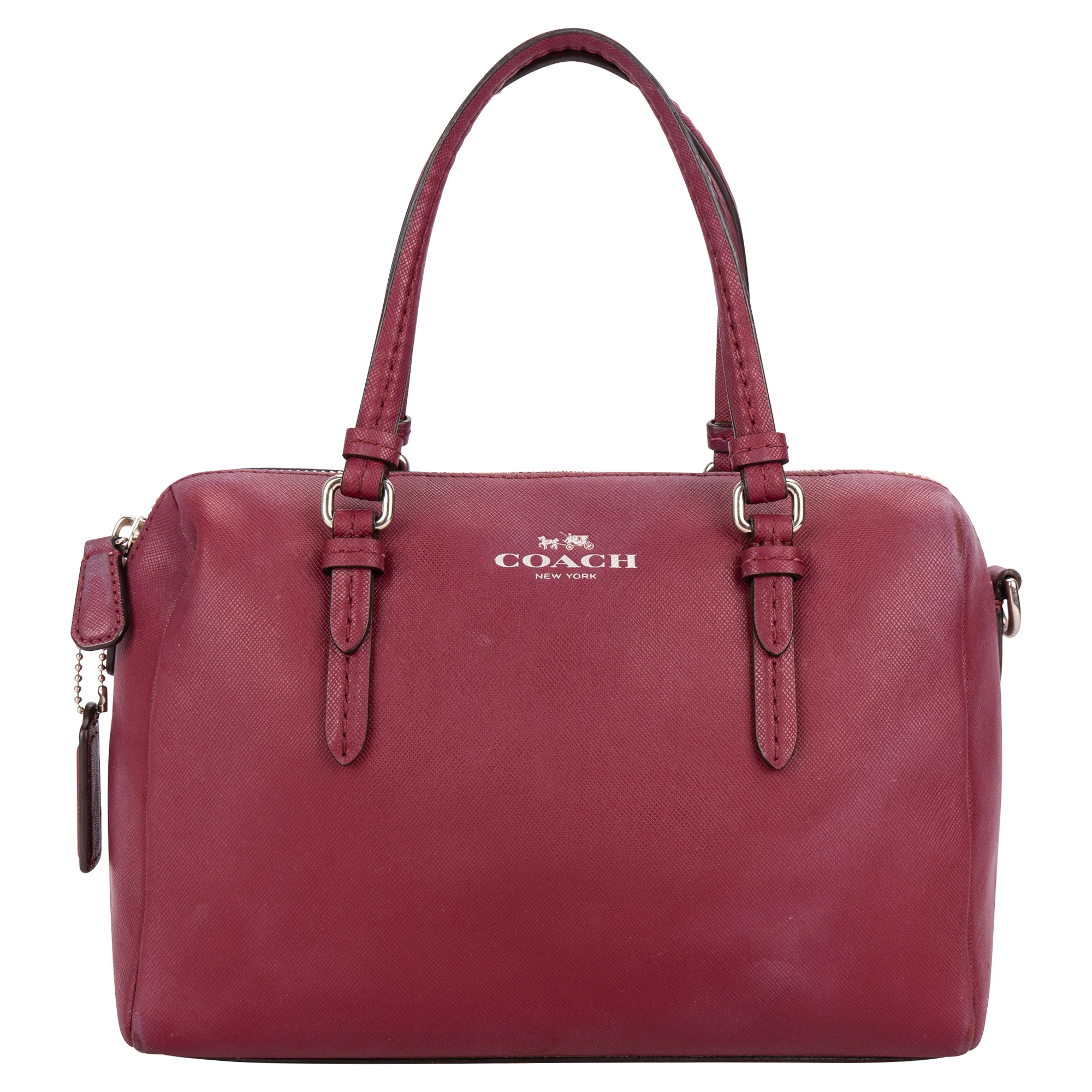
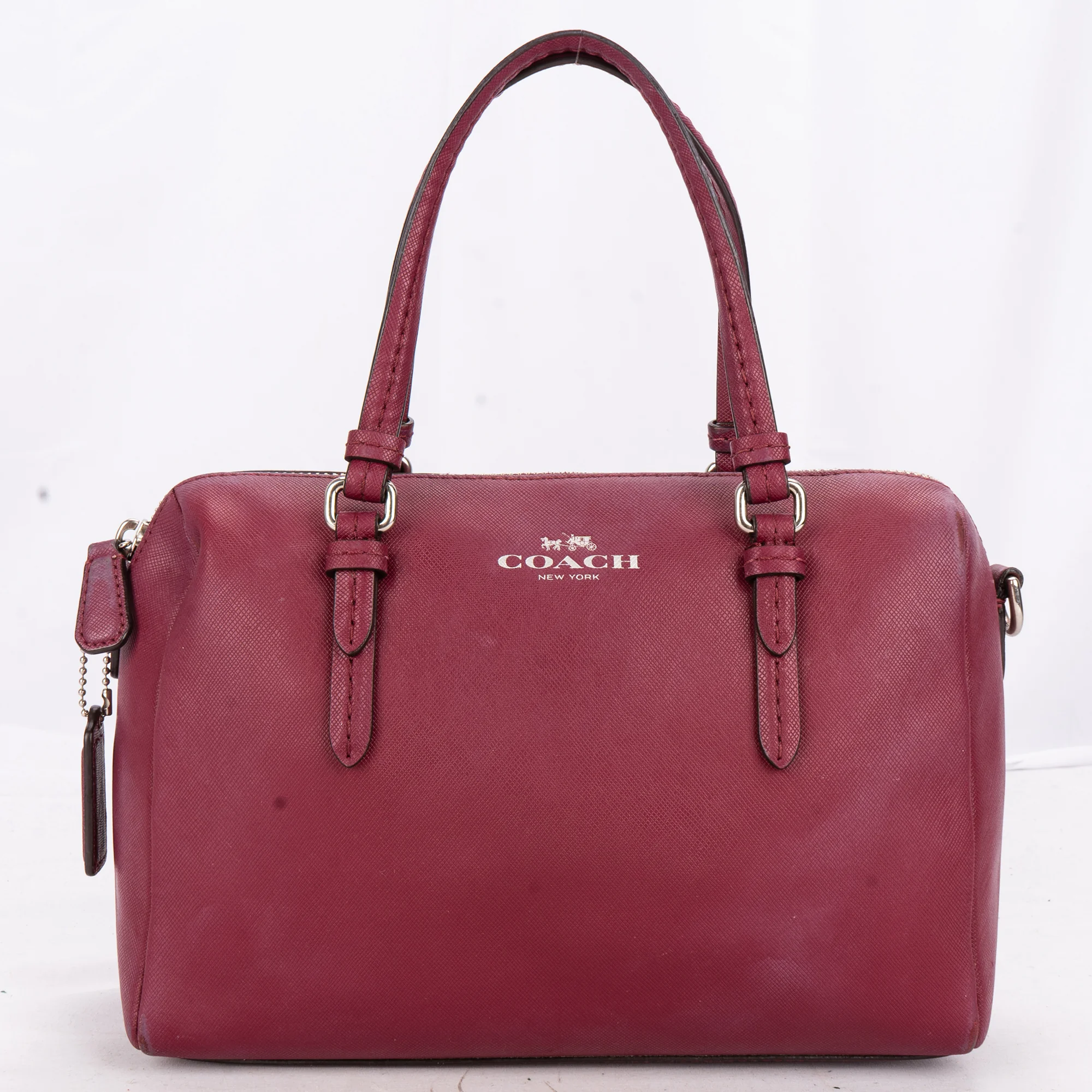 Before: Original photoAfter: Clean product image
← Drag to compare the original and edited handbag. The full case study includes four product comparisons.
Clean product images across two years of repeat work
An ecommerce bag retailer needed manual clipping, dust and unwanted-element cleanup, centred 2000 × 2000 px images and preserved natural shadows. Approximately 55,421 images were handled across 77 projects, with PSD and PNG exports.
SCOPE
≈55,421 images
77 projects over 2 years
EDITING
Manual clipping & cleanup
Dust, unwanted elements and natural shadows
DELIVERABLES
PSD + PNG
2000 × 2000 px, centred
CANVAS & ALIGNMENT
2000 × 2000 px
Product aligned in the centre
How We Approach Every Production Case Study
Follow how the brief, image-specific editing and review requirements shape the finished files.
The Client Brief & Calibration
We evaluate intended use (Amazon, Shopify, Print Catalog), source resolution, shadow angles, and export color spaces. Two free test samples establish the exact baseline before batch rollout.
Handcrafted Pen Tool Execution
Manual clipping paths in Adobe Photoshop separate product outlines and internal openings. Edge treatment is selected for the source image and reviewed against the agreed reference finish.
Dual-Pass QA & Scheduled Delivery
Completed images are checked against the agreed reference and export requirements. Files are organised into scheduled batches, with client feedback used to identify any corrections.
How to Use These Case Studies to Plan Your Next Project
Compare the Same Product View
Examine our matching before-and-after views. Look closely at intricate wire openings, reflective metal edges, and textured supports to see how clean cutouts retain realistic product dimensions.
Read the Production Context
Each case study outlines specific client constraints and volume scopes. Use these details to gauge how your image quantity, turnaround requirements, and output formats compare.
Connect the Examples to Your Brief
Choose the case study closest to your catalog. When submitting an inquiry, send representative files (including challenging angles) so we can calibrate your quote accurately.
Have a Similar Product Catalogue?
Share your image requirements, deadline, and volume. We will review your files, provide 2 free sample edits, and issue a locked fixed-rate quote before production begins.