
1,500+ product images across 14 projects.
A consistent, background-free catalogue.
This case study of ladder product cutouts covers manual background removal for a ladder and access-equipment business. An approved sample established the direction before production, with transparent PNGs and editable PSDs delivered in batches for website use.
Prepare a product range for website use.
The client needed backgrounds removed from more than 1,500 photographs of ladders, stepladders and related access equipment across 14 projects. The required outputs were transparent PNGs for website placement and editable PSD files.
A transparent-background sample was approved before the full batch began. This provided a clear reference for the production work and the required delivery formats.
- Transparent PNGs for immediate website catalogue placement
- Layered editable PSD files preserved for client designers
- Pre-production approved sample establishing quality standard
- 1,500+ catalogue images across 14 completed projects
Keep small details intact across a large batch.
The central requirement was careful background separation without losing small product details. On ladder and access-equipment photographs, accurate edges and openings matter to the final cut-out.
Maintaining that attention across 1,500+ images and 14 projects also required an organised delivery and review process. During review, the client identified two photographs where small details were missing, making targeted corrections part of the workflow.
- Negative spaces through open steps, handrails and stabilisers
- Consistent edge calibration on metal reflections and rivets
- Fast turnaround and rapid 2-image targeted review corrections
Background removal around rails, steps and supports.
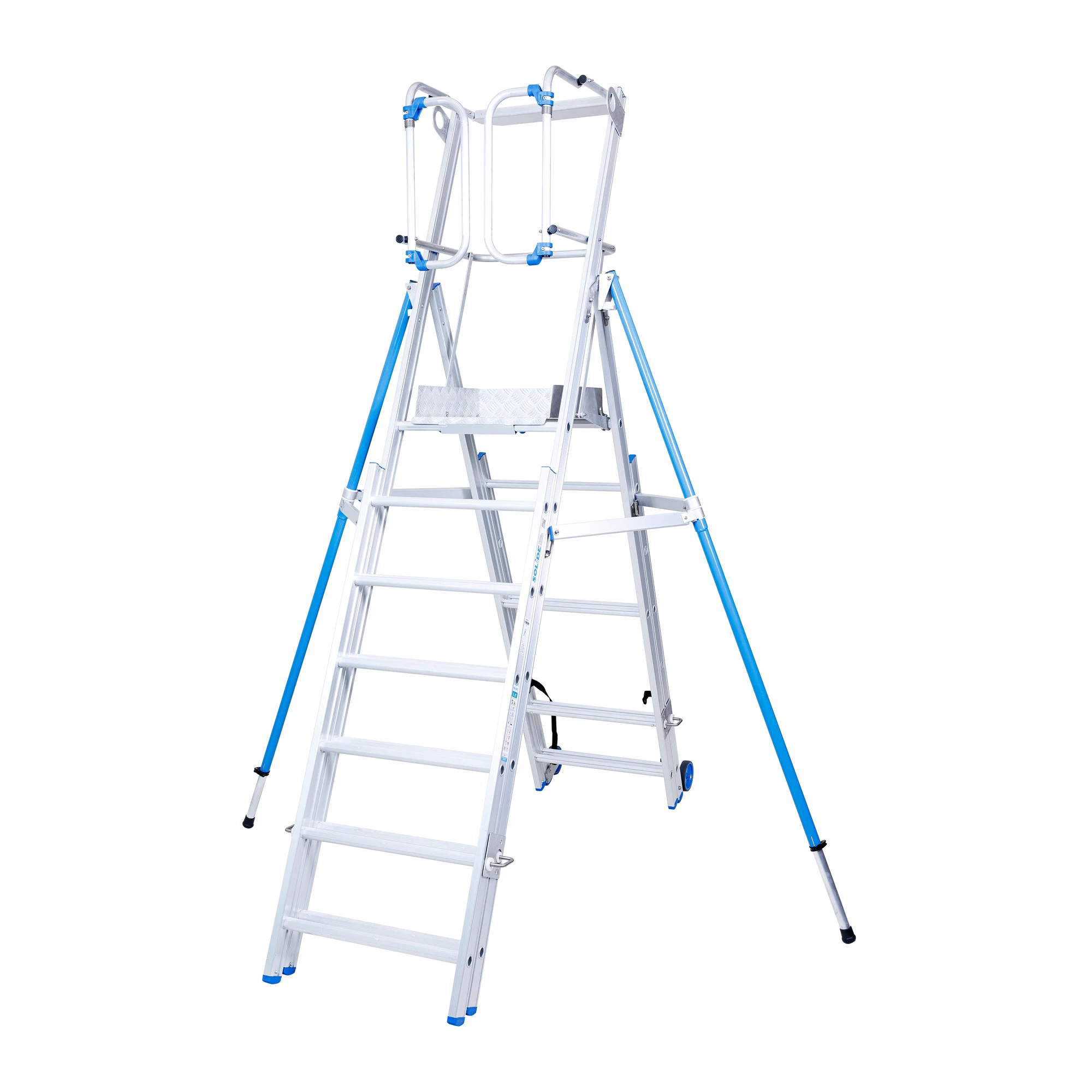
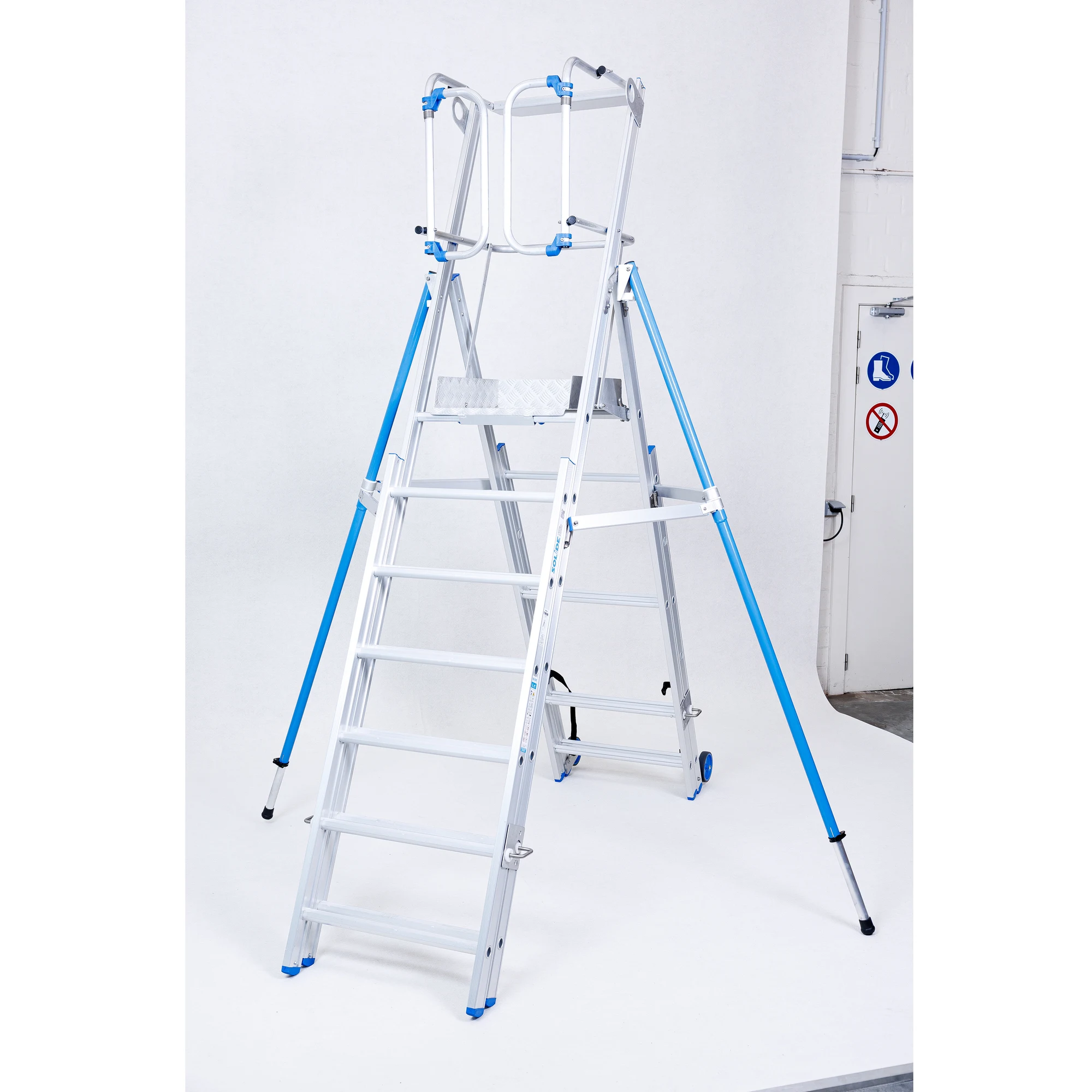 Before: Studio Shot
After: Clean Cutout
The edited image removes the studio surroundings and separates the background through the ladder’s open structure. These on-page previews show the result on white; the project delivery included transparent PNGs and editable PSDs.
- Format: Transparent PNG + PSD
- Method: Photoshop Pen Tool
- Isolation: 100% Hand-Drawn Paths
- Structure: Negative Space Rungs
Consistent isolation across a second product view.
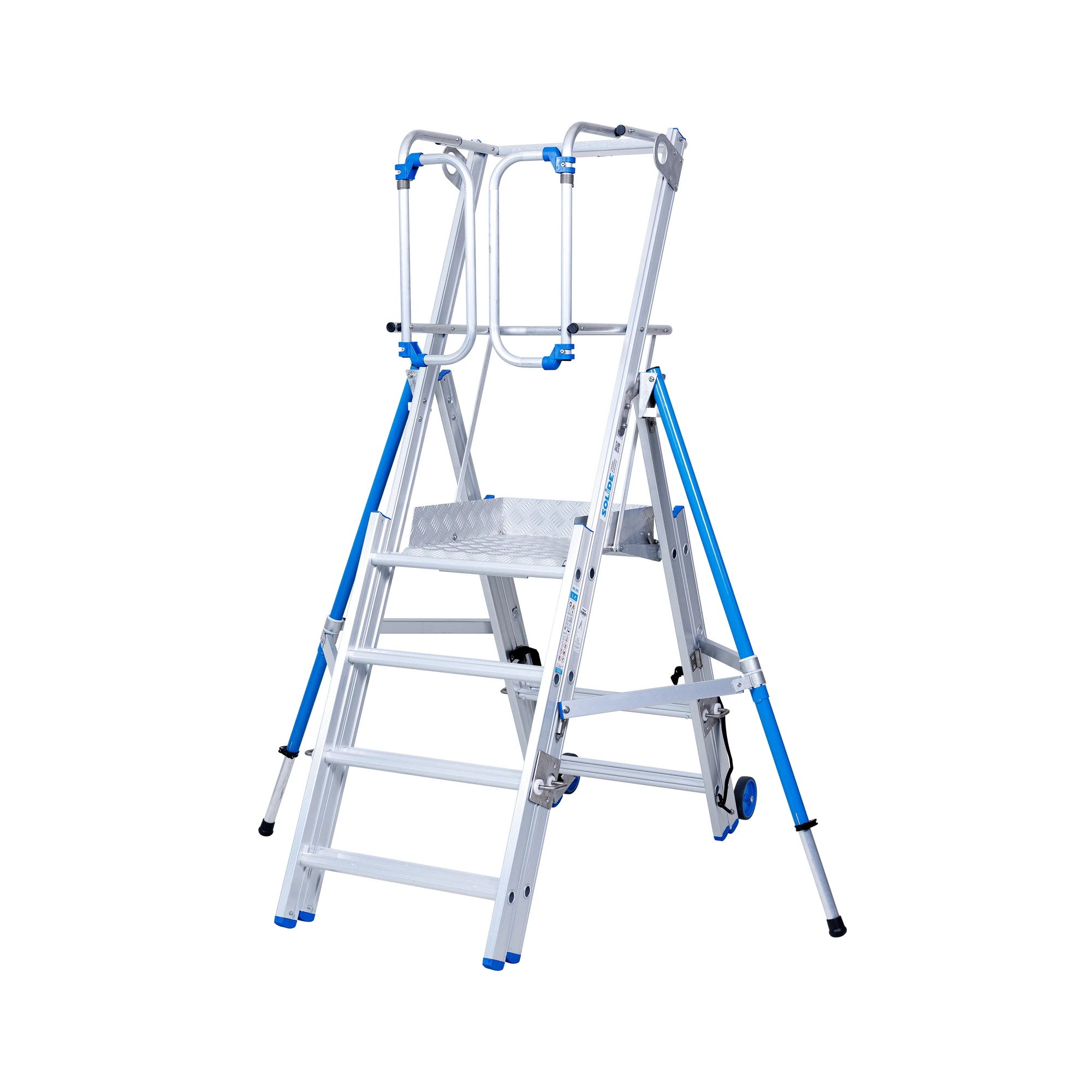
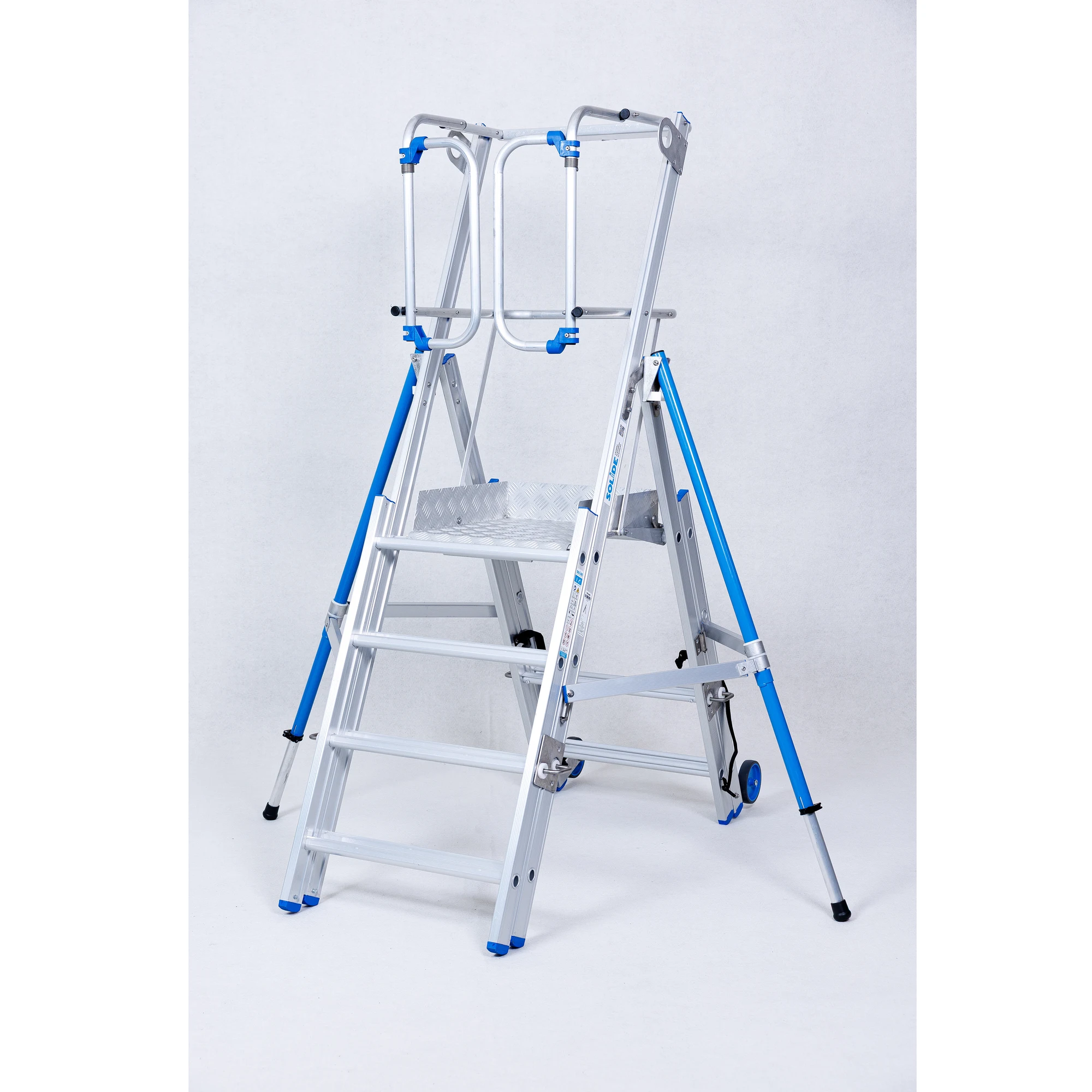 Before: Studio Shot
After: Clean Cutout
The second pair shows the same background-removal approach around the handrails, platform, rungs and stabiliser legs. These on-page previews show the result on white; the project delivery included transparent PNGs and editable PSDs.
- Perspective: Full Frame with Stabilizers
- Guardrails: Intricate Metal Tubes Clipped
- Export: High-Res Alpha Channel & Paths
- Surface: Clean Multi-Surface Placement
Approve the sample. Produce in batches. Refine the details.
Prepare a transparent-background sample and obtain approval before full production.
Remove the backgrounds while preserving the product silhouette and small visible details.
Supply transparent PNG and editable PSD versions in structured batches for web catalogue use.
Correct the two identified missing-detail images and promptly supply updated PNG/PSD pairs.
Reviewing detailed product cutouts.
The two platform-ladder views show why background separation includes more than the outside silhouette. Look through the openings between the rungs, around the platform and alongside the stabiliser supports. These areas help demonstrate how the cut-out retains the structure of the product.
When reviewing similar product cutouts, compare the edited image with the original at the same scale. Check narrow components, small fittings and spaces between connected parts. An organised file list makes it easier to identify a specific image and describe a correction during batch review.
The approved sample, paired file formats and targeted corrections provide practical context for this project. For a comparable catalogue, specify whether your team needs transparent images for placement, editable files for later adjustments or both. Agree the output requirements and review process before production so each delivered version can be checked against the brief.
Background-free files, with the review corrections completed.
The collaboration now totals 14 completed projects and more than 1,500 product images, delivered in batches as transparent PNGs and editable PSDs. In the initial documented 542-image project, files were confirmed uploaded on 2 April 2025, approximately six calendar days after work began on 27 March.
The two small-detail issues identified during review were corrected, with replacement PNG and PSD files supplied. The documented result is a background-free product-image set prepared for the client’s website use.
Questions about detailed product cutouts
What should I inspect in the ladder cutouts?
Compare each edited view with its matching source at the same scale. Check the handrails, rungs, platform edges and stabiliser supports, including the narrow spaces between connected parts. Identify the exact view and location when requesting a correction.
Do the previews prove transparency or editable layers?
The on-page WebP previews show the visible cut-out on white. Review the actual delivery files to check transparency, layers and any saved paths. A webpage preview shows appearance; it does not establish the editable structure of a PSD or the transparency of a delivered PNG.
How do I brief a similar product-image project?
Send representative source images, the number of files and product views, intended placement, required formats and deadline. Point out small fittings or reference details that must stay. Agree a sample, naming convention and review process with the quote before production.
Need precise cut-outs
across your product range?
Send representative sample images, the total quantity, your required file formats and deadline. We will review the scope and confirm a quote before production.