

Car parts photo editing prepares automotive components and accessories for clear, consistent online listings. A useful product image shows more than a polished surface: buyers need to inspect connectors, mounting points, labels, finish and the contents of a kit. Editing should make those details easier to see while preserving the actual item.
This guide is for ecommerce teams, automotive suppliers, photographers and agencies working with products such as headlights, mirrors, wheels, filters, trim and interior accessories. It focuses on product-image production rather than vehicle repair or compatibility advice.
Car parts photo editing: before and after
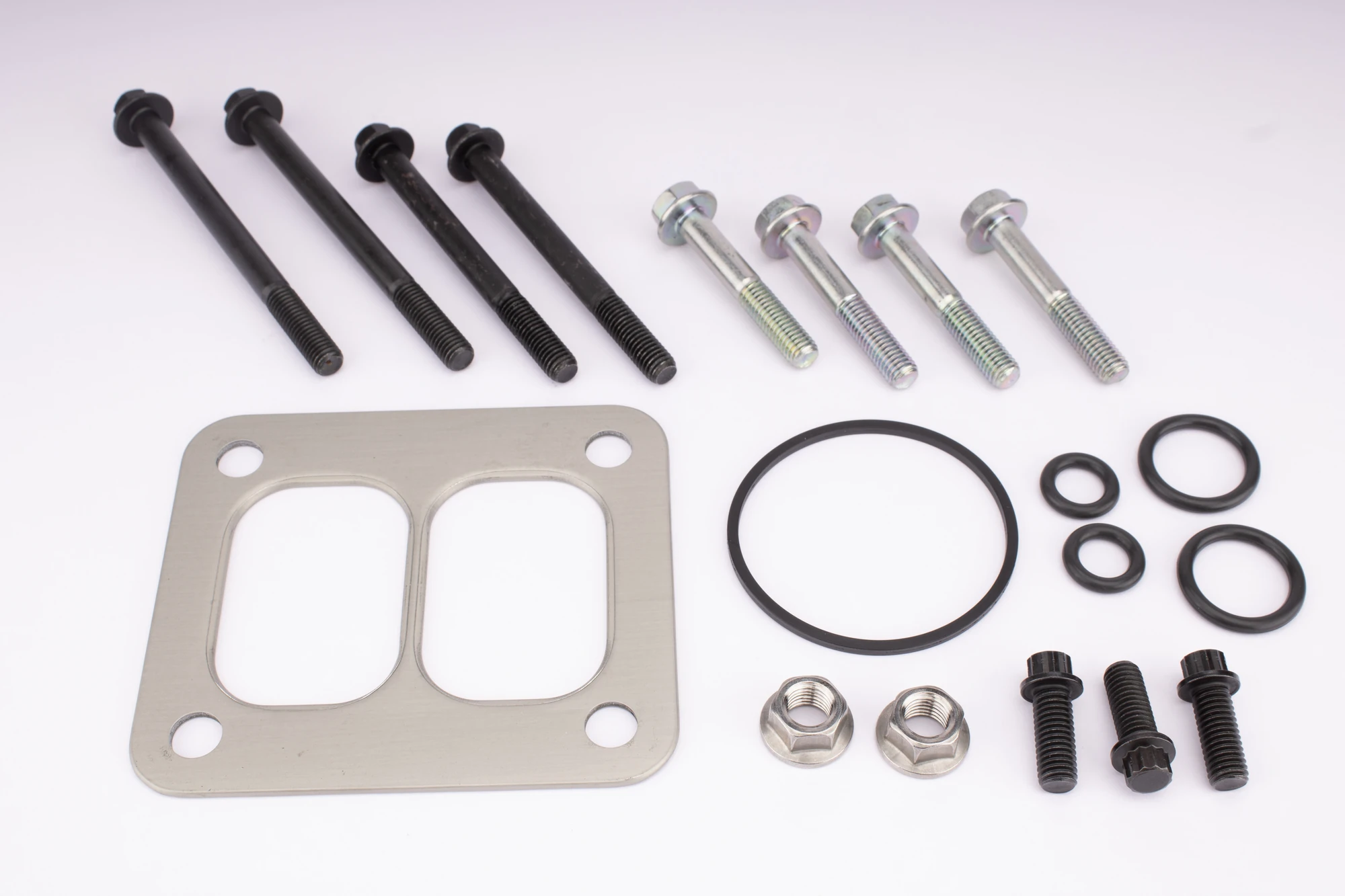
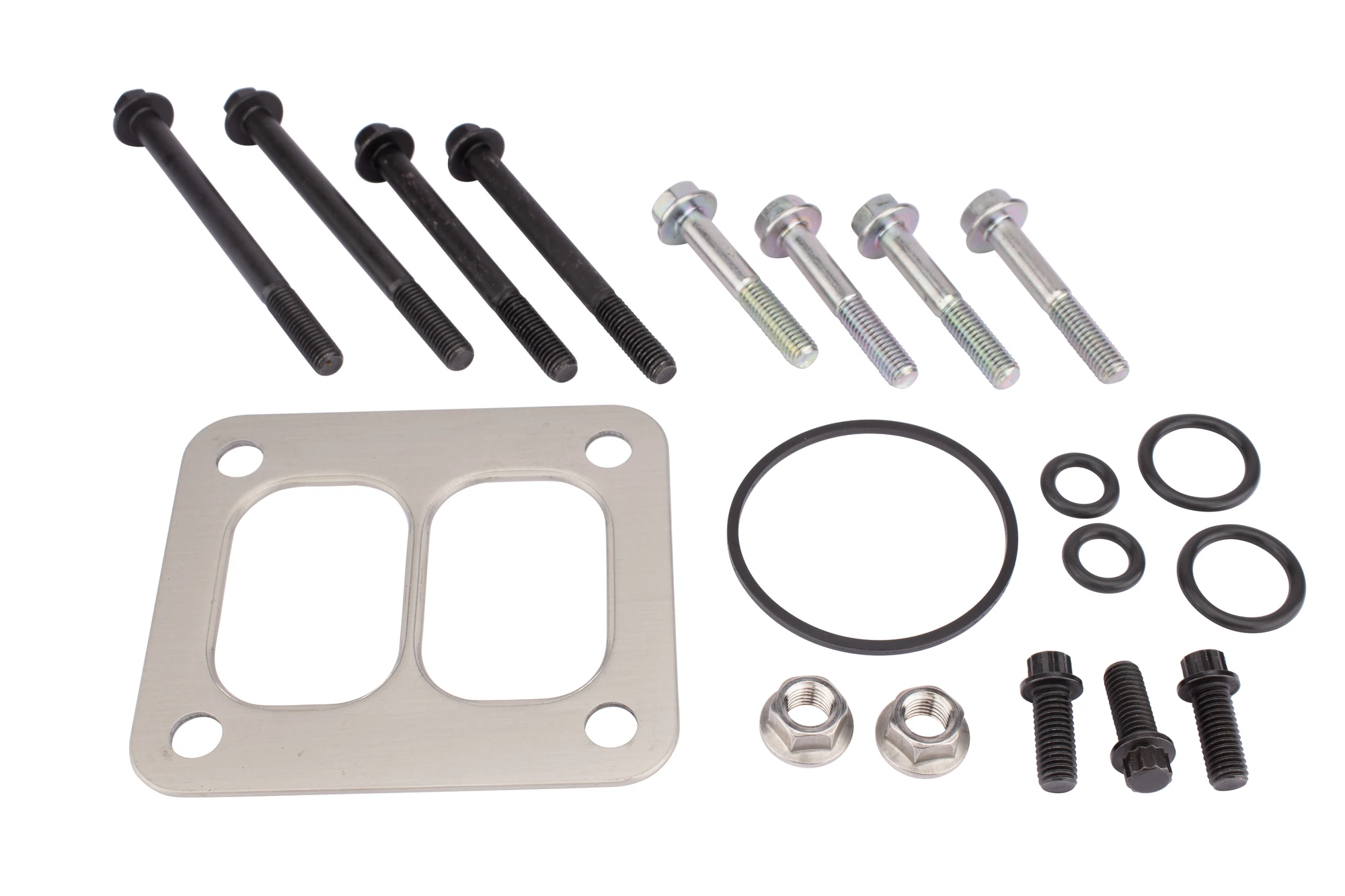
Compare these supplied automotive product photographs with their edited versions. The examples show background separation around the main assembly and individual hardware pieces. Select an image to open the larger view.
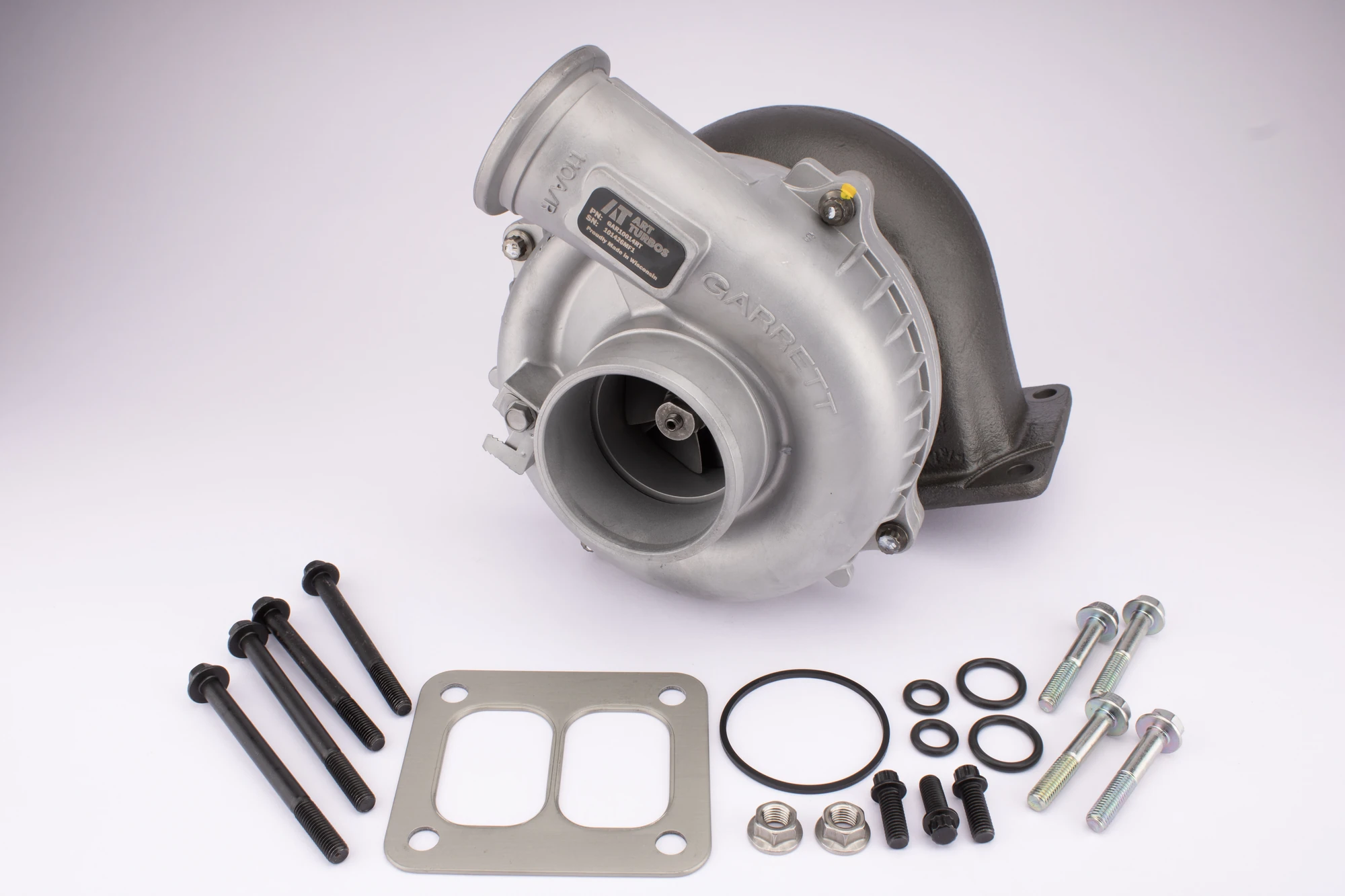
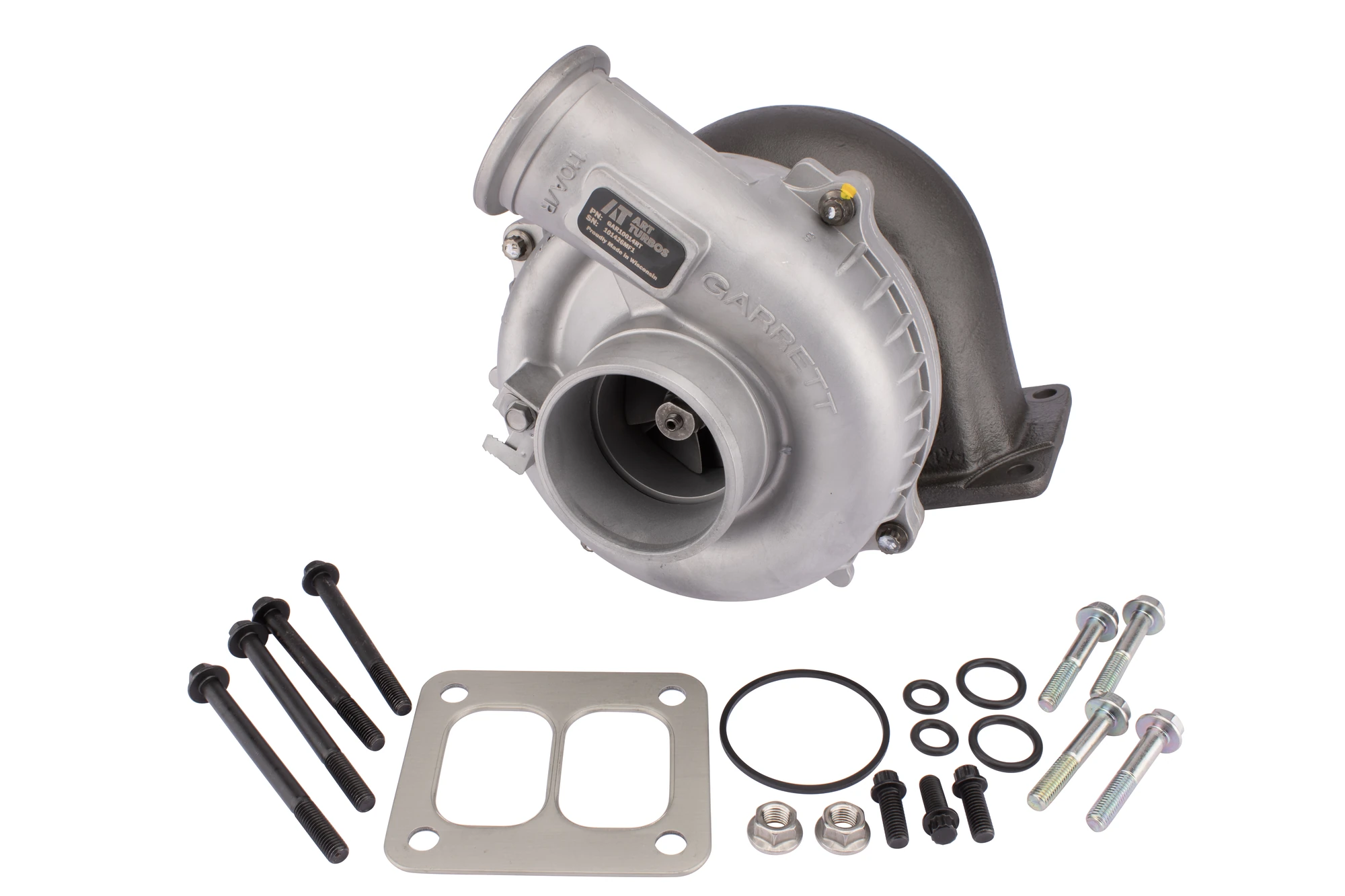
Turbocharger and fitting kit
Background separation around the turbocharger housing, gasket, bolts and seals, with the original labels and product details retained.
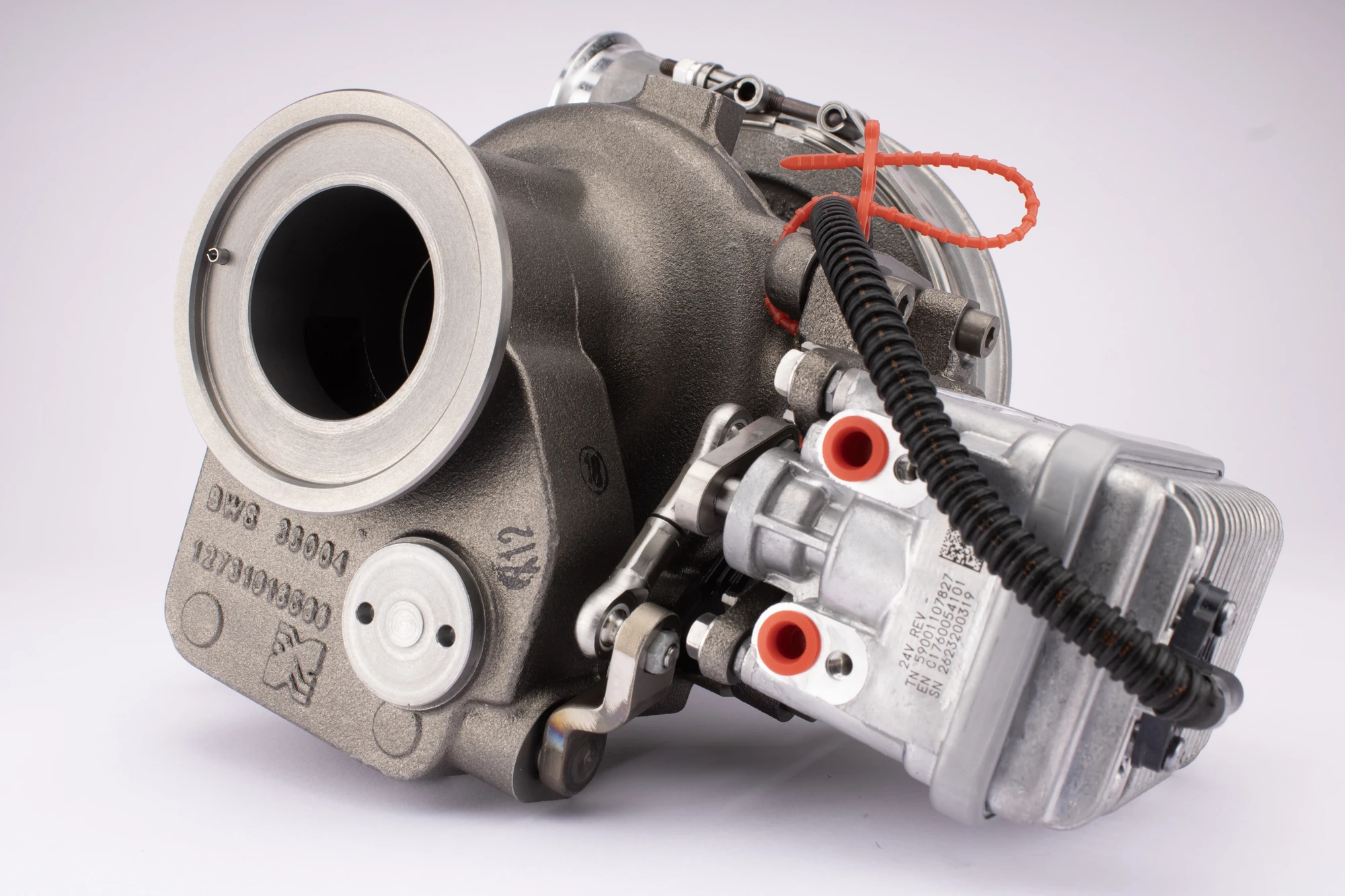
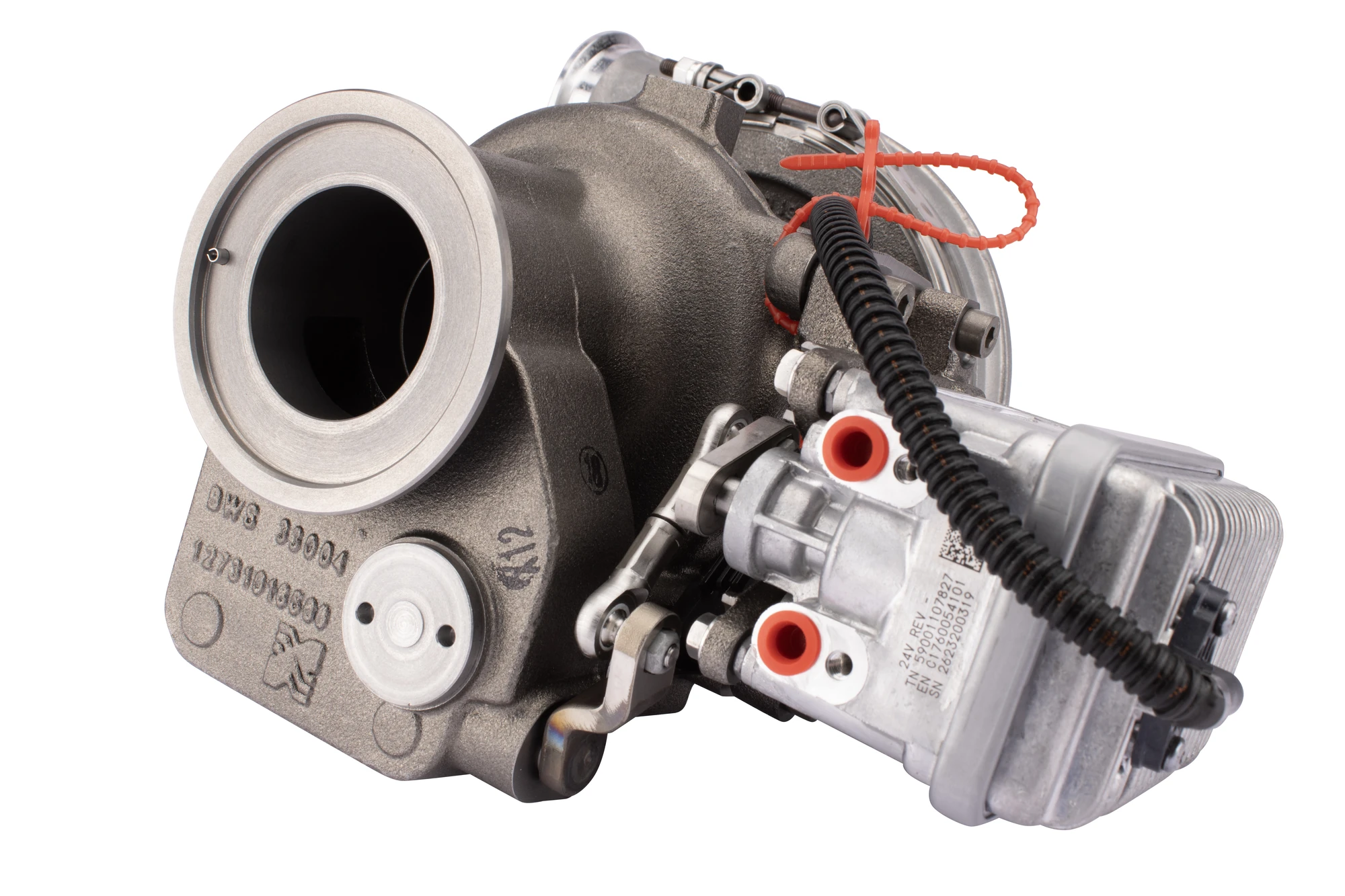
Turbocharger housing — detailed view
A clean white background around the housing, actuator, wiring and red protective fittings.
Gasket, fasteners and seals
Clean separation around the individual hardware pieces and internal openings without changing the kit arrangement.
Explore more automotive editing examples in our portfolio.
Why car parts photo editing needs a precise brief
Two components may look similar while having different plugs, brackets or left-hand and right-hand configurations. A background correction that removes a small tab or fills a real opening can change how the product is understood. Keep an original reference and mark the details that must remain untouched.
Before production, connect every file to the correct SKU or part reference. State whether the item is new, used or refurbished and which marks may be corrected. Photographs support a listing, but they do not replace verified specifications and fitment information.
1. Organise the original images by SKU and view
Group the images by product before retouching begins. Use a naming pattern that identifies the SKU and angle, such as SKU123-front, SKU123-rear and SKU123-connector. Keep originals separate from edited masters and final exports.
Include a front view, a reverse view and the details needed to understand the item. For a kit, show the components actually included. Do not use one product’s image for a different variant just because its appearance is similar. A missing view may require another photograph rather than reconstruction.
2. Choose the right background-removal method
Many solid-edged parts suit a carefully drawn manual clipping path. Complex contours, mesh, transparent lenses and soft materials may need masking or a combined method. The outside boundary and internal openings both need attention.
For example, preserve the gaps between wheel spokes and the openings in a mounting bracket. Check translucent surfaces for an unnatural solid fill. Car parts photo editing should isolate the item accurately, not turn difficult detail into a simpler shape.
3. Separate temporary dust from product condition
Dust from the shoot, a mark on the backdrop or a loose thread may be appropriate cleanup targets. Corrosion, wear, cracks or damage on a used component may be information the buyer needs. Agree what may be removed before making local corrections.
Keep labels, serial markings and part numbers readable. Do not redraw an unclear identifier or invent missing characters. If an important detail cannot be confirmed from the source, request a clearer photograph. See our product retouching service for how to define a correction scope.
4. Preserve metal, plastic and rubber finishes
Reflective metal, glossy plastic and textured rubber respond differently to light. Reduce distracting reflections only where agreed, while keeping the highlights that describe the material. Excessive smoothing can make a textured surface look like a different finish.
Use a supplied colour reference when accuracy matters. Black trim should still retain its shape and texture; bright metal should not lose every highlight. Review related views together so that the same part does not appear to change colour across its image gallery.
5. Make shadows consistent with the product
A shadow helps explain how an isolated part sits against its background. Decide whether to preserve the original, construct a natural-looking shadow or use a simple drop shadow. These treatments serve different visual purposes.
Check the direction, softness and points of contact. A wheel, a flat floor mat and a hanging mirror assembly should not automatically receive an identical shadow. Agree an approved reference for shadow creation before applying the treatment across a batch.
6. Keep crops and catalogue presentation consistent
Set the canvas, margins and alignment for each product category. Compare a grid of related images rather than inspecting only one file at a time. Leave enough room around projecting brackets, cables and other components so that nothing important is clipped.
Consistent framing does not mean implying that differently sized products have the same dimensions. Supply accurate size information in the listing and use suitable scale photographs where needed. Keep primary product views separate from explanatory layouts or promotional graphics.
7. Prepare exports for the selling channel
Check the current requirements for your own store and each marketplace or feed. A transparent design asset and a main listing image may need different exports. JPEG does not preserve transparency; confirm an appropriate format when a transparent background is required.
Google Merchant Center’s product-image guidance covers image formats, dimensions and restrictions on promotional overlays, with category-specific exceptions. Review the applicable rules rather than assuming one platform’s requirements apply everywhere.
Inspect the actual exported files for colour, sharpness and compression. Enlarging a small source does not reliably recreate missing product detail. Keep a suitably sized master and generate the agreed delivery versions from that file.
8. Review car parts photo editing before upload
Use a written approval checklist and keep feedback tied to filenames. Start with difficult images and compare the result against both the original and the approved sample.
- Is the correct part and variant shown?
- Are connectors, brackets, holes and included accessories complete?
- Are genuine labels and part numbers preserved?
- Does the finish remain accurate, including relevant wear?
- Are edges and shadows clean without halos or missing detail?
- Do crops, filenames, dimensions and formats match the brief?
Our product photo quality checklist provides a fuller review process for catalogue batches.
Match the editing approach to the product
| Product type | Details to protect | Editing priorities |
|---|---|---|
| Lights and mirrors | Lens edges, mounting points and rear connectors | Accurate isolation and controlled reflections |
| Wheels and metal components | Internal openings, surface finish and markings | Detailed selections and believable highlights |
| Rubber and interior accessories | Texture, seams, contours and colour | Gentle cleanup and consistent exposure |
| Small parts and accessory kits | Component count, identifiers and variant differences | Clear arrangements and reliable file matching |
What to send for a car parts photo editing quote
Share representative originals, including complex examples, and the approximate image quantity. Add the SKU list, required views, background, output dimensions, file formats and deadline. Mark any details or condition information that must remain unchanged.
Approve a sample before the full batch begins. Separate background removal from detailed retouching, colour matching and shadow work so that the price reflects the actual scope. Refer to our current starting prices and request a tailored batch quote.
Common questions
Can editing confirm that a part fits a particular vehicle?
No. Compatibility must come from verified product information. Car parts photo editing can preserve visible identifiers and useful views, but it should never be used to invent a connector, mounting point or compatibility claim.
Should every accessory have a white background?
Use the background required by the destination and your catalogue style. A clean primary image, a transparent design asset and a contextual photograph can each have a role. Agree which versions are needed before editing.
Can a mixed batch be processed consistently?
Yes, with category-specific references and a clear review process. Group similar materials and shapes, approve representative samples and keep the same naming and delivery rules. Complex products may need separate treatment and pricing.
Prepare a clearer automotive product catalogue
ABN Clipping House supports online sellers, photographers and creative teams with clipping paths, background removal, retouching and shadows. For car parts photo editing, the brief should prioritise product accuracy as well as presentation.
Send your sample images and editing requirements to discuss the scope, output formats and delivery timing. Include the product types and approximate batch size so that the quote reflects your actual workload.