
Multiple clipping path editing creates separate paths for product components, materials and colour regions.
Skip to main content
Multiple clipping path service for selective color changes & retouching.
Isolate individual product components—garment collars, cuffs, buttons, sleeves, zipper pulls, and hardware—with independent, labeled Photoshop vector paths. Perfect for e-commerce colorway generation and selective retouching.
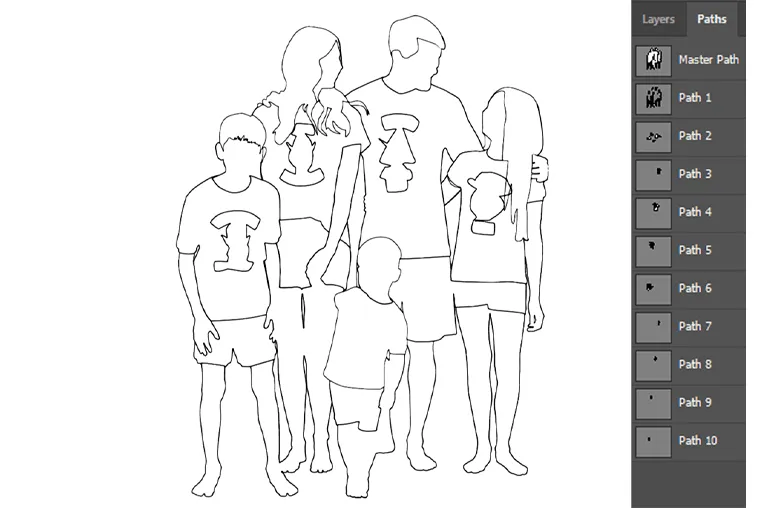
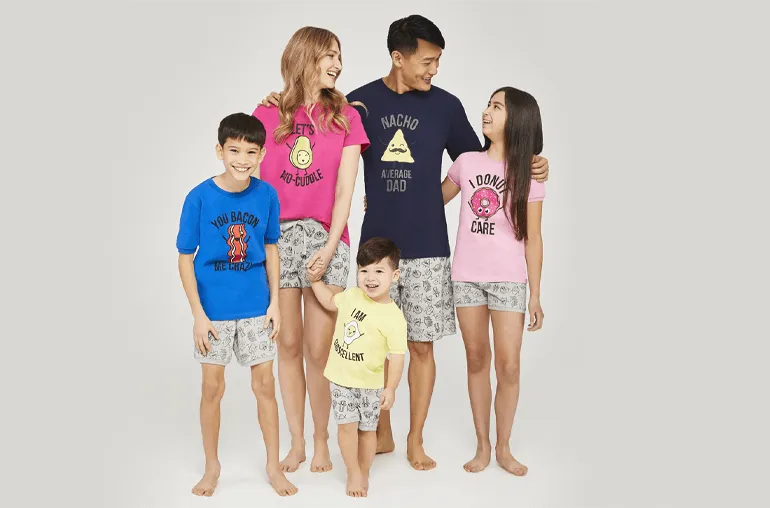 Before: Single Layer Photo
After: Multi-Path Isolation
Production Standards & Deliverables
What to Send Us
High-resolution product images (RAW, TIFF, PSD, or JPEG). Provide reference instructions or color swatch codes (Hex/Pantone) if color changes are required.
Your Finished Files
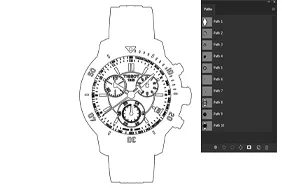
Layered PSD or TIFF files containing labeled, non-destructive vector paths in the Photoshop Paths panel (e.g., "Body", "Collar", "Buttons", "Lining"), plus transparent PNG cutouts.
Pen Tool Precision & Multi-Pathing
100% hand-drawn vector Bézier paths. Zero auto-selection jaggedness. Every internal seam and external edge accurately traced with smooth 0.5px anti-aliasing.
Transparent Complexity Pricing
2–3 distinct paths (e.g., shoes, two-tone bags)
4–6 distinct paths (e.g., shirts, jackets with collar & cuffs)
7–10+ paths (e.g., multi-color sneakers, technical sports gear)
*Batch discounts of 10%–20% apply automatically to orders over 250 images. Final pricing confirmed after inspecting your test images.
Multi-Component Apparel Isolation for Online Catalogs
Multi-path isolation eliminates the need to photograph every color variation. We mapped independent vector paths across garments and accessories, allowing creative teams to recolor any fabric zone instantly in Photoshop.
A Straightforward Way to Work Together
Transparent communication from first sample test to recurring catalogue delivery.
Share Your Files
Send sample photographs and describe required cutouts, shadows, or file formats. Upload via Google Drive, Dropbox, or WeTransfer.
Agree the Scope
We review the sample files, agree an approved reference direction, and confirm a guaranteed fixed per-image quote with no hidden extras.
Keep Things Moving
Work begins immediately. We deliver production batches within 24 to 48 hours with unlimited free adjustments until you are completely satisfied.
Frequently Asked Questions
Q: How many separate paths can you include in one image?
We can create as many paths as your workflow requires—from 2 to 3 paths for simple items to 15+ complex paths for multi-fabric sportswear, footwear, and technical gear.
Q: Are the paths saved inside the file for easy selection?
Yes. All paths are cleanly named and saved inside the Photoshop Paths panel, allowing you to Ctrl/Cmd-click any path to create an instant pixel selection.
Q: Can you also perform color changes using the paths?
Absolutely. If you supply color swatches or Pantone codes, our team can deliver the recolored variations alongside the layered master PSD.
Test our precision before committing your catalogue.
Send us two typical project photographs. We will return the finished files within 24 hours so you can inspect edge quality, paths, and speed first-hand.