

CASE STUDY 04 • MANUAL VECTOR TRACING
AI Logo Mockup to Clean Vector Artwork
A detailed logo redraw focused on connected linework, a cleaner repeating border, clearer lettering and more controlled illustration detail.
One logo · Adobe Illustrator · February–March 2026
Scope
1 detailed logo
Method
Manual redraw
Offered formats
AI / EPS / PDF / SVG
First preview
About 4 days
Before and after: the supplied artwork
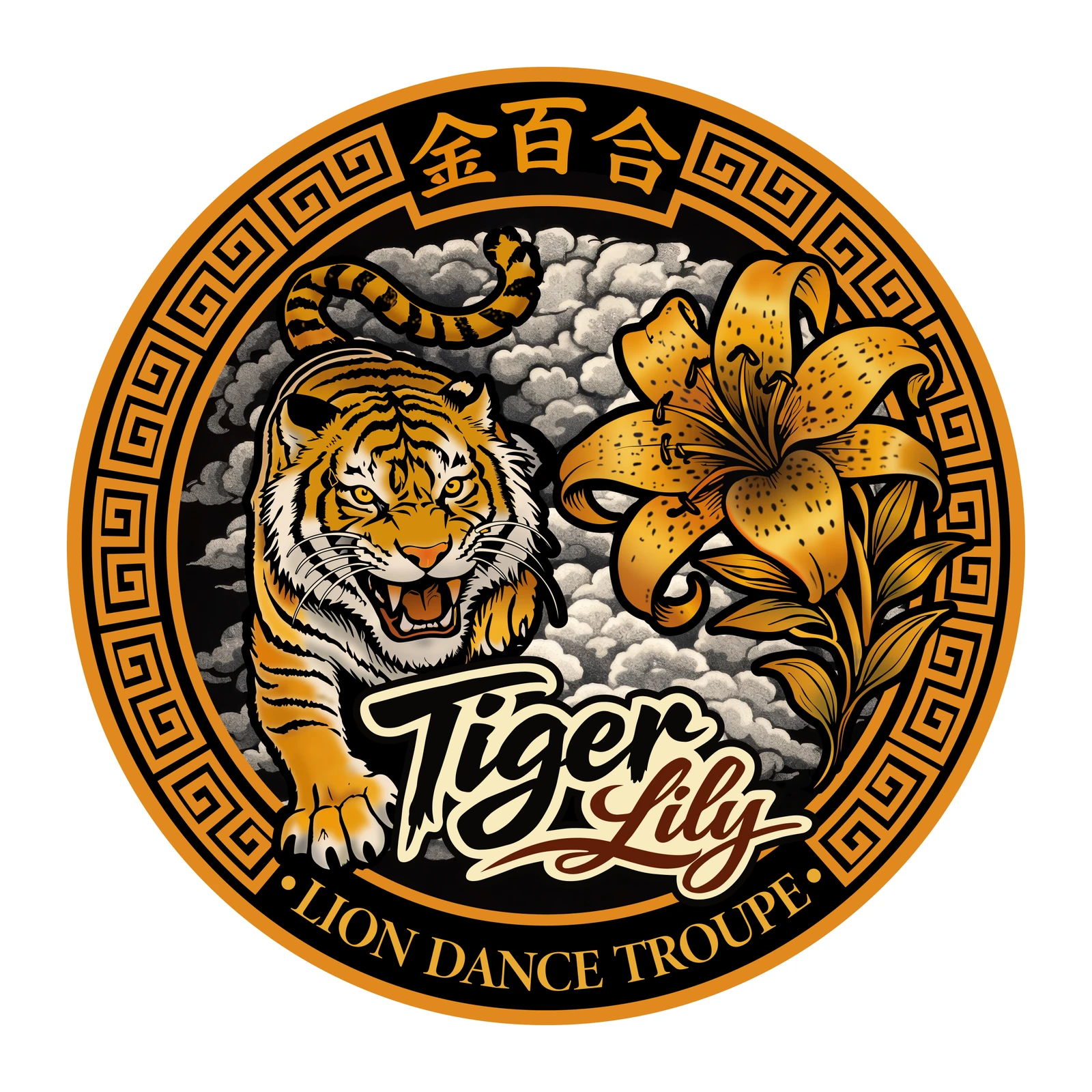
 Before: Raster referenceAfter: Manual redraw
← Drag the slider to compare the raster reference and the manual redraw. You can also focus the comparison and use the arrow keys.
Both images are raster previews. The source reference is 300 × 300 pixels; the revised artwork was supplied at 5000 × 5000 and is shown here as an optimized 1600 × 1600 WebP. Different source resolutions affect how much detail each preview can show.
The brief: turn an AI mockup into editable artwork
The client supplied an AI-generated raster logo and asked for a manual redraw with cleaner, connected lines and fewer smudged details. The composition combined a tiger, a lily, clouds, decorative lettering and a circular patterned border, making it more involved than a simple outline trace.
The brief also called for the wording “Lion Dance Troupe” instead of “Team”, a curved tiger tail, and the client-supplied Chinese lettering. A separate pattern reference clarified the desired border while retaining its overall thickness and size.
The challenge: keep the character while rebuilding the detail
The small raster reference contained fine stripes, petal dots, cloud edges and layered colour shading. Recreating these features required decisions about shape boundaries and contrast, alongside correction of broken contours and inconsistencies in the repeating border.
A cleaner redraw also needed to preserve the depth the client liked in the original. During review, the client requested a darker inner ring, richer shading and texture, a repaired tail tip, clearer petal dots and restoration of the bottom lettering.
Manual redraw and revision work
We used Adobe Illustrator to redraw the artwork manually and submitted a JPG preview for review. The first feedback highlighted improved cloud shapes while identifying the remaining lettering, tail and colour refinements. A revised preview was sent later that morning.
Linework and pattern
Rebuild connected contours and a more consistent repeating border.
Lettering
Restore the requested bottom wording and follow the supplied character reference.
Illustration detail
Review the tiger tail, cloud shapes and dots on the flower petals.
Colour and depth
Refine ring contrast and bring back richer shading from the reference.
Recorded timeline and file requirements
- 28 February: the client accepted the custom offer and confirmed payment.
- 4 March, 5:37 AM: first JPG preview submitted, about four days after the order.
- 4 March, 6:50 AM: client supplied revision feedback.
- 4 March, 7:41 AM: revised JPG preview submitted, 51 minutes after the feedback.
The offer listed a 3–5 day production window and vector delivery in AI, EPS, PDF or SVG. The supplied conversation shows JPG review previews; it does not include a final vector handover record or final approval message.
What the supplied examples show
The revised artwork shows a more regular decorative border, defined illustration shapes and clearer lettering. The before-and-after views let you inspect the treatment of clouds, stripes, petal detail and the surrounding ring. The client’s first review acknowledged the cloud cleanup and requested further refinements.
This case study documents the artwork and review process available in the supplied records. It does not claim a measured sales result, a manufacturing outcome or a guarantee about AI-detection tools.
Have a logo mockup that needs a careful redraw?
Share the clearest available reference, exact wording, preferred colours and required formats. We will review the detail and agree the scope before production.
Discuss your vector project →